How to Add a Watermark to PDF Online Free and Protect Your Documents

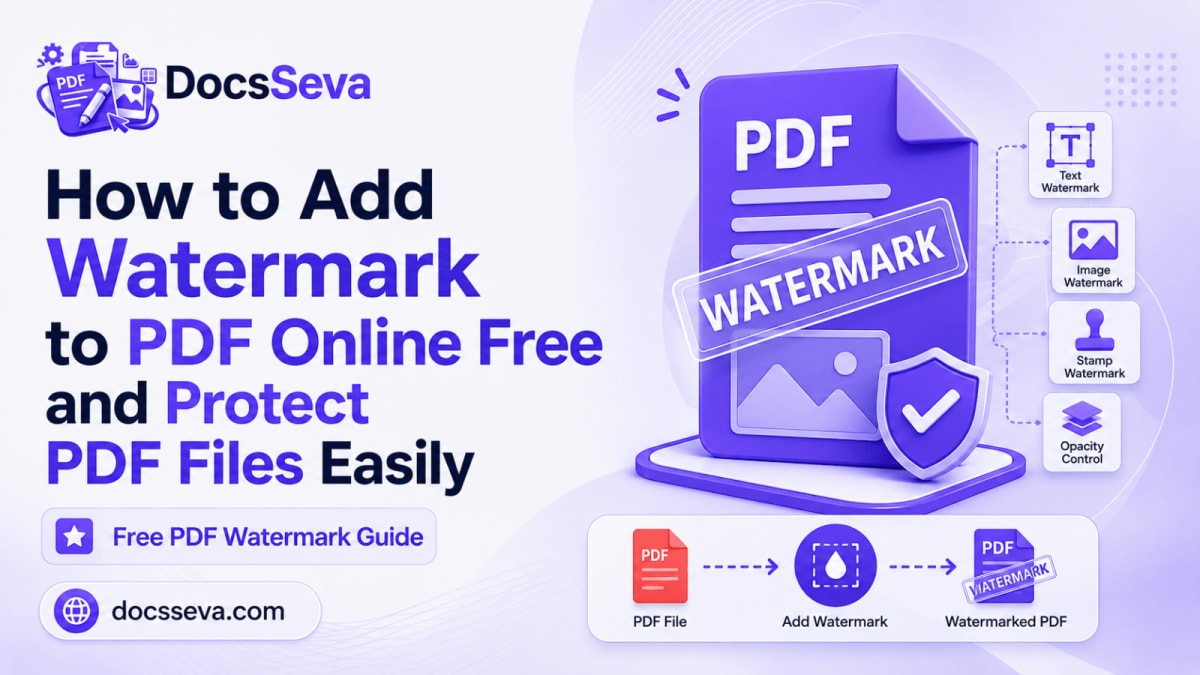
PDF documents are frequently used for contracts, reports, invoices, proposals, study material, manuals, presentations, certificates, quotations, internal policies, and other important information.
Before sharing a PDF, you may need to show that it is confidential, identify it as a draft, display your company or project name, indicate that it is a sample, or discourage casual unauthorized reuse.
Adding a visible text watermark is a simple way to communicate this information across the document without manually editing every page.
With the DocsSeva PDF Watermark tool, you can add a custom text watermark to a PDF online free, adjust its font, opacity, angle, and position, and download the completed document without installing desktop software or creating an account.
The current tool is designed for text watermarks such as CONFIDENTIAL, DRAFT, SAMPLE, COPY, a company name, a project name, or a short copyright notice. DocsSeva does not add its own watermark or branding to the output.
Files are processed temporarily and automatically deleted after processing. DocsSeva states that uploaded documents are not permanently stored.
This complete guide explains how to add a watermark to a PDF, how to choose suitable watermark text, how to control visibility and positioning, how watermarks differ from passwords and digital signatures, what happens to document quality, and how to prepare a professional watermarked PDF for sharing.
Important: A visible watermark can communicate ownership, confidentiality, status, or intended use, but it does not provide complete security. It does not encrypt the PDF, prevent screenshots, stop every form of copying, or replace password protection, secure sharing, digital signatures, or proper access controls.
Quick Answer: How Do You Add a Watermark to a PDF Online?
To add a text watermark to a PDF:
- Open the DocsSeva PDF Watermark tool.
- Select or drag and drop the PDF you want to watermark.
- Enter your watermark text, such as
CONFIDENTIAL,DRAFT, or your company name. - Select the preferred font.
- Adjust the watermark opacity.
- Choose the angle or rotation.
- Select the watermark position.
- Review the available settings carefully.
- Apply the watermark to the document.
- Download the watermarked PDF.
- Open the downloaded file and review several pages.
- Confirm that the watermark is visible without making the original content difficult to read.
Keep the original PDF separately until you have reviewed and approved the watermarked copy.
What Is a PDF Watermark?
A PDF watermark is visible text placed over or behind the existing content of a PDF page.
It can be used to communicate information such as:
- Document status
- Ownership
- Confidentiality
- Intended recipient
- Review stage
- Copyright
- Distribution restrictions
- Company or project identity
Common text watermarks include:
- CONFIDENTIAL
- DRAFT
- SAMPLE
- COPY
- SPECIMEN
- APPROVED
- FOR REVIEW
- INTERNAL USE ONLY
- NOT FOR DISTRIBUTION
- CLIENT PREVIEW
- DO NOT COPY
- COPYRIGHT
- UNCONTROLLED COPY
- EXPIRED
- CANCELLED
- PAID
- VOID
- ARCHIVE COPY
- Company name
- Project name
- Recipient name
A watermark is normally less prominent than the main document content. It should remain visible while allowing the reader to understand the original text, images, tables, and graphics.
What Does the DocsSeva PDF Watermark Tool Do?
The DocsSeva PDF Watermark tool allows you to enter your own text and place it consistently across the PDF.
The current tool allows control over:
- Watermark text
- Font
- Opacity
- Angle
- Position
It is designed to apply a text watermark without requiring you to edit each page manually.
The downloaded result remains a normal PDF that can be opened, shared, printed, archived, or processed further where permitted.
What the PDF Watermark Tool Does Not Do
The current DocsSeva tool is presented as a custom text-watermark tool.
It should not be described as automatically supporting:
- Image watermark uploads
- Logo watermark uploads
- Digital signatures
- Password encryption
- Secure redaction
- Copy prevention
- Screenshot blocking
- Rights-management controls
- Document authentication
- Watermark removal prevention
- Metadata removal
- Copyright registration
Use another appropriate tool or workflow when these functions are required.
Why Add a Watermark to a PDF?
Watermarks provide a visible indication of how a document should be understood or used.
Mark Confidential Documents
A CONFIDENTIAL watermark immediately tells the reader that the document contains restricted information.
It can be used for:
- Internal financial reports
- Employee information
- Customer records
- Business plans
- Legal documents
- Project details
- Pricing documents
- Management reports
- Product roadmaps
- Private correspondence
The watermark does not encrypt the document. Add password protection or use an access-controlled sharing system when the PDF must be restricted technically.
Identify Draft Documents
A DRAFT watermark helps prevent an unfinished document from being mistaken for the final approved version.
This is useful for:
- Contracts under review
- Proposals awaiting approval
- Reports containing incomplete figures
- Policies being revised
- Presentations in development
- Design proofs
- Research drafts
- Unapproved quotations
- Working documents
Remove or replace the draft watermark after final approval.
Add Company or Project Identification
A company name, department name, project title, or client name can help identify the origin or intended use of a document.
Examples include:
- DOCSSEVA
- INTERNAL FINANCE TEAM
- PROJECT ORION
- CLIENT REVIEW COPY
- ABC CONSULTING
- MARKETING DEPARTMENT
- TRAINING MATERIAL
Keep the text short enough to remain readable across different page layouts.
Mark Sample and Preview Documents
A SAMPLE, PREVIEW, or SPECIMEN watermark can help indicate that a document is not the final deliverable.
This can be useful for:
- Design previews
- Template samples
- Course previews
- Portfolio examples
- Product catalog previews
- Client demonstrations
- Draft invoices
- Unapproved certificates
A watermark can discourage casual reuse, but it cannot guarantee that the content will not be copied.
Communicate Document Status
Watermarks can display the current status of a document.
Examples include:
- APPROVED
- PENDING APPROVAL
- FOR REVIEW
- REJECTED
- ARCHIVED
- EXPIRED
- CANCELLED
- PAID
- UNPAID
- VOID
- SUPERSEDED
- FINAL COPY
Use status watermarks consistently so readers understand what each label means.
Discourage Casual Unauthorized Distribution
A visible ownership or recipient-specific watermark may discourage someone from forwarding or republishing a PDF without permission.
For example:
- COPYRIGHT DOCSSEVA
- LICENSED TO CLIENT NAME
- PREPARED FOR CUSTOMER NAME
- NOT FOR REDISTRIBUTION
- INTERNAL USE ONLY
A determined recipient may still be able to reproduce the content. Use stronger access and legal controls when required.
Add Copyright Identification
Authors, trainers, designers, consultants, publishers, and businesses may add a short copyright notice.
Examples include:
- © 2026 Company Name
- COPYRIGHT OWNER NAME
- ALL RIGHTS RESERVED
- LICENSED MATERIAL
- AUTHORIZED COPY
A watermark can display a copyright claim, but it does not automatically create or prove legal ownership.
Identify a Specific Recipient
A recipient-specific watermark can help show who received a copy.
Examples include:
- PREPARED FOR ARJUN KUMAR
- CLIENT COPY – ABC LTD
- SHARED WITH FINANCE TEAM
- REVIEW COPY FOR JOHN
- LICENSED TO CUSTOMER 1024
Before placing personal details on every page, confirm that doing so is appropriate and does not create a privacy concern.
Common Uses of PDF Watermarks
Business Reports
Business reports may contain confidential operational, financial, customer, or performance information.
Useful watermarks include:
- CONFIDENTIAL
- INTERNAL USE ONLY
- MANAGEMENT REVIEW
- DO NOT DISTRIBUTE
- PRELIMINARY RESULTS
Place the watermark where it remains visible without covering tables, totals, charts, or small text.
Contracts and Agreements
Contracts may be watermarked during drafting and review.
Useful labels include:
- DRAFT
- FOR REVIEW
- NOT FOR SIGNATURE
- LEGAL REVIEW REQUIRED
- CLIENT REVIEW COPY
- UNEXECUTED COPY
Watermarking a contract does not replace legal review or prevent someone from signing an incorrect version.
Keep the original and check whether adding a watermark affects digital-signature validation.
Proposals and Quotations
A proposal or quotation can be labelled to communicate its status.
Examples include:
- PROPOSAL
- VALID UNTIL 31 DECEMBER
- CLIENT REVIEW
- CONFIDENTIAL PRICING
- DRAFT QUOTATION
- NOT FOR DISTRIBUTION
Do not place the watermark over important pricing or validity information.
Invoices and Payment Documents
Watermarks can help identify payment status.
Examples include:
- PAID
- UNPAID
- PARTIALLY PAID
- CANCELLED
- VOID
- DUPLICATE
- COPY
Confirm that the watermark text matches the actual accounting status before applying it.
Do not use a PAID watermark unless the payment has genuinely been confirmed.
Educational Material
Teachers, trainers, and course creators may watermark:
- Study notes
- Practice papers
- Course handouts
- Training manuals
- Preview lessons
- Assignment templates
- Sample certificates
- Revision material
Examples include:
- SAMPLE
- STUDENT COPY
- TRAINING USE ONLY
- DO NOT REDISTRIBUTE
- COURSE PREVIEW
- INSTRUCTOR COPY
Follow copyright and institutional policies when distributing educational documents.
Research Papers and Draft Publications
Researchers may use:
- DRAFT
- PREPRINT
- NOT PEER REVIEWED
- CONFIDENTIAL REVIEW
- AUTHOR COPY
- DO NOT CITE
A watermark should accurately describe the publication status.
Do not use a watermark to imply that research has been reviewed or approved when it has not.
HR and Employee Documents
Human-resource documents may contain confidential employee information.
Examples include:
- CONFIDENTIAL
- HR USE ONLY
- EMPLOYEE COPY
- MANAGEMENT REVIEW
- INTERNAL DOCUMENT
- DO NOT DISTRIBUTE
Use password protection and secure storage in addition to a visible watermark when sensitive personal information is involved.
Legal and Compliance Documents
Legal, compliance, audit, and policy documents may use:
- CONTROLLED COPY
- UNCONTROLLED COPY
- CONFIDENTIAL
- LEGAL REVIEW
- COMPLIANCE COPY
- SUPERSEDED
- ARCHIVED
Make sure status labels reflect the organization’s approved document-control system.
Design Proofs and Creative Work
Designers and agencies may watermark visual proofs using text such as:
- CLIENT PREVIEW
- PROOF
- DRAFT
- NOT FOR PRODUCTION
- SAMPLE
- COPYRIGHT DESIGNER NAME
A text watermark can discourage casual use, but a specialized image-watermark workflow may be more suitable when a logo or graphical mark is required.
Property and Financial Documents
Property reports, loan records, financial statements, and supporting documents may contain sensitive information.
Suitable labels may include:
- CONFIDENTIAL
- BANK USE ONLY
- APPLICATION COPY
- CUSTOMER COPY
- NOT FOR PUBLIC DISTRIBUTION
Do not rely on the watermark alone to protect financial or identity information.
Manuals and Internal Policies
Long manuals can be labelled consistently across every page.
Examples include:
- INTERNAL USE ONLY
- CONTROLLED DOCUMENT
- UNCONTROLLED COPY
- TRAINING COPY
- ARCHIVED VERSION
- COMPANY CONFIDENTIAL
A watermark can help readers identify an outdated or unofficial copy.
What to Check Before Adding a Watermark
Preparing the PDF first can prevent incorrect, unreadable, or misleading output.
1. Verify the Document
Open the source PDF and confirm:
- It is the correct document
- It is the latest version
- All required pages are included
- Page order is correct
- Text and images are readable
- Page orientation is correct
- There are no blank pages
- There are no duplicate pages
- No unrelated information is included
- You are authorized to modify it
Do not apply a final-status watermark to an unverified document.
2. Keep the Original PDF
Save an untouched copy before watermarking.
Use filenames such as:
Project-Proposal-Original.pdfProject-Proposal-Confidential.pdf
Keeping the original allows you to:
- Correct the watermark
- Change its position
- Use different text
- Create another version
- Remove the watermark by returning to the clean source
- Preserve an unmodified signed document
Avoid repeatedly watermarking an already watermarked output because this can create overlapping marks.
3. Choose the Correct Watermark Text
The watermark must accurately describe the document.
Before entering the text, ask:
- Is this document really confidential?
- Is it a draft or final version?
- Is it approved?
- Is it intended only for internal use?
- Should the recipient’s name appear?
- Is a copyright notice appropriate?
- Will the text still be correct later?
- Could the watermark create a misleading impression?
Do not apply APPROVED, FINAL, PAID, or similar status text unless the status has been confirmed.
4. Keep the Text Short
Short watermarks are normally easier to read.
Good examples include:
- CONFIDENTIAL
- DRAFT
- SAMPLE
- INTERNAL USE ONLY
- CLIENT COPY
- NOT FOR DISTRIBUTION
Long sentences can cover too much content and become difficult to position.
When a longer notice is necessary, consider placing the complete explanation in the document itself and using a short watermark as the visible label.
5. Check Page Layouts
A PDF may contain a mixture of:
- Portrait pages
- Landscape pages
- Full-page images
- Tables
- Charts
- Forms
- Certificates
- Presentation slides
A watermark that looks suitable on one page may cover important content on another.
Review representative pages before sharing the output.
6. Correct Page Orientation
Sideways or upside-down pages can cause inconsistent watermark placement.
Use the PDF Rotator before adding the watermark.
7. Remove Unnecessary Pages
Delete blank, duplicate, outdated, or unrelated pages before applying the watermark.
Use the PDF Page Remover when most pages should remain and only a few pages need to be deleted.
8. Extract Only the Required Pages
When only a specific section will be shared, create a focused PDF first.
Use the PDF Page Extractor to save selected pages in a new document.
There is usually no benefit in watermarking and sharing pages the recipient does not need.
9. Split Separate Documents
A large combined PDF may contain unrelated sections requiring different watermark text.
Use the PDF Splitter to separate the document before applying the correct watermark to each section.
For example:
- Public brochure: no watermark
- Internal pricing: CONFIDENTIAL
- Client preview: SAMPLE
- Approved contract: FINAL COPY
10. Merge Documents Before Final Watermarking
When several PDFs should become one protected package:
- Prepare each source file.
- Remove unnecessary pages.
- Correct orientation.
- Merge them with the PDF Merger.
- Review the completed document.
- Apply one consistent watermark to the final PDF.
This helps avoid differences in watermark styling across separate source documents.
11. Check Password Protection
A password-protected PDF may not be available for modification.
When you know the password and have permission:
- Use the PDF Unlock tool.
- Enter the correct current password.
- Download the authorized unlocked copy.
- Apply the watermark.
- Protect the completed document again when necessary.
Do not unlock or modify a document without authorization.
12. Check Digital Signatures
Adding a watermark changes the PDF.
This may affect a cryptographic digital signature or certification.
Before watermarking a signed PDF:
- Keep the signed original
- Check signature validity
- Confirm whether modifications are permitted
- Ask whether a watermarked copy will be accepted
- Avoid changing legally sensitive signed documents unnecessarily
A visible handwritten signature is different from a cryptographic digital signature.
How to Add a Watermark to PDF Online Free With DocsSeva
Follow these steps to create a professional text-watermarked PDF.
Step 1: Open the PDF Watermark Tool
Open the DocsSeva PDF Watermark tool in a modern browser.
You do not need to:
- Install desktop software
- Create an account
- Sign in
- Provide an email address
- Purchase a subscription
Step 2: Select Your PDF
Drag and drop the PDF into the upload area or browse for it on your device.
Confirm that:
- It is a valid PDF
- It is the correct version
- It opens normally
- It is not corrupted
- It is not restricted by an unknown password
- All required pages are present
The current uploader does not state a fixed file-size limit. Large or complex documents may still require more processing time.
Step 3: Enter the Watermark Text
Type the exact text that should appear on the document.
Examples include:
- CONFIDENTIAL
- DRAFT
- SAMPLE
- COPY
- FOR REVIEW
- INTERNAL USE ONLY
- NOT FOR DISTRIBUTION
- YOUR COMPANY NAME
- © 2026 YOUR COMPANY
- PREPARED FOR CLIENT NAME
Check:
- Spelling
- Capitalization
- Dates
- Company name
- Recipient name
- Copyright year
- Document status
A spelling or status error will be repeated throughout the output.
Step 4: Select the Font
Choose a font that is clear and appropriate for the document.
A watermark font should normally be:
- Easy to read
- Visually distinct
- Professional
- Consistent with the document
- Suitable at different page sizes
Avoid fonts that are excessively decorative, narrow, or difficult to read.
For formal documents, a simple and bold font generally works better than a decorative typeface.
Step 5: Adjust the Watermark Opacity
Opacity determines how transparent or solid the watermark appears.
A lower opacity creates a lighter watermark.
A higher opacity creates a stronger and more prominent watermark.
Use lower opacity when:
- The PDF contains dense text
- Tables must remain readable
- The watermark is for subtle branding
- Several pages contain important images
- The watermark crosses the centre of the page
Use higher opacity when:
- The status label must be immediately visible
- The document is a preview or sample
- The underlying page contains large open spaces
- Strong visual identification is required
The best setting depends on the page design. Always check whether the original content remains readable.
Step 6: Choose the Watermark Angle
The angle controls the direction of the watermark text.
A diagonal watermark is commonly used because it crosses a larger portion of the page and is difficult to overlook.
A horizontal watermark may be useful for:
- Headers
- Footers
- Status labels
- Simple branding
- Small notices
A steep diagonal watermark may be useful for:
- CONFIDENTIAL
- DRAFT
- SAMPLE
- NOT FOR DISTRIBUTION
- CLIENT PREVIEW
Choose an angle that makes the text visible without covering the same important area on every page.
Step 7: Select the Position
Position determines where the watermark appears on the page.
Possible placement considerations include:
- Centre
- Upper area
- Lower area
- Left side
- Right side
- Diagonal across the main content
A central position is highly visible but may cross important text.
An edge position may be less intrusive but easier to overlook or crop.
Before selecting the position, consider:
- Where page titles appear
- Where signatures are located
- Where tables and totals appear
- Whether pages are portrait or landscape
- Whether the document contains full-page images
- Whether the watermark will remain visible when printed
Step 8: Review Your Settings
Before applying the watermark, confirm:
- The text is correct
- The document status is accurate
- The font is readable
- The opacity is suitable
- The angle is appropriate
- The position avoids important content
- The mark is not excessively distracting
- The original file has been retained
Step 9: Apply the Watermark
Start the watermark process.
Avoid:
- Refreshing the page
- Closing the tab
- Navigating away
- Selecting another file
- Repeatedly clicking the processing button
- Interrupting the operation
The tool will create a new PDF containing the selected text watermark.
Step 10: Download the Watermarked PDF
Download the completed document to your device.
Use a descriptive filename such as:
Project-Proposal-Confidential.pdfContract-Draft-Review.pdfClient-Preview-Sample.pdfInternal-Financial-Report.pdfTraining-Manual-Internal-Use.pdfInvoice-Paid-Copy.pdfPolicy-Uncontrolled-Copy.pdf
Avoid unclear filenames such as:
final.pdffinal-new-2.pdfwatermarked-copy-final.pdflatest-use-this.pdf
Step 11: Verify the Downloaded PDF
Open the downloaded file in another PDF viewer.
Check:
- Every required page is included
- The watermark text is correct
- The watermark appears consistently
- The font remains readable
- The opacity is suitable
- The angle is correct
- The position is appropriate
- Original text remains readable
- Images and tables remain visible
- Page order is unchanged
- Page orientation is correct
- No DocsSeva branding was added
- The file opens without errors
Review the first page, several middle pages, and the final page.
Step 12: Protect the Final PDF When Necessary
A watermark provides visible identification but does not prevent the PDF from being opened.
When the document is confidential, use the Password Protect PDF tool after checking the watermarked output.
A practical workflow is:
- Prepare the document.
- Apply the watermark.
- Verify the output.
- Add a strong password.
- Test the protected PDF.
- Send the password separately.
How to Choose Effective Watermark Text
The wording should match the purpose of the document.
Confidentiality Watermarks
Suitable options include:
- CONFIDENTIAL
- STRICTLY CONFIDENTIAL
- INTERNAL USE ONLY
- PRIVATE AND CONFIDENTIAL
- RESTRICTED
- DO NOT DISTRIBUTE
- AUTHORIZED PERSONNEL ONLY
Do not use a confidentiality label as a substitute for password protection or secure access controls.
Draft and Review Watermarks
Suitable options include:
- DRAFT
- FOR REVIEW
- PRELIMINARY
- NOT FINAL
- SUBJECT TO REVISION
- PENDING APPROVAL
- NOT FOR SIGNATURE
- WORKING COPY
Remove or replace these labels when the document becomes final.
Ownership Watermarks
Suitable options include:
- COPYRIGHT COMPANY NAME
- © 2026 COMPANY NAME
- PROPERTY OF COMPANY NAME
- LICENSED MATERIAL
- AUTHORIZED COPY
- COMPANY NAME
Only use ownership claims you are authorized to make.
Distribution Watermarks
Suitable options include:
- NOT FOR DISTRIBUTION
- DO NOT COPY
- INTERNAL CIRCULATION
- CLIENT COPY
- REVIEW COPY
- LIMITED DISTRIBUTION
- AUTHORIZED RECIPIENT ONLY
These labels discourage casual distribution but cannot technically prevent it.
Status Watermarks
Suitable options include:
- APPROVED
- REJECTED
- PAID
- UNPAID
- CANCELLED
- VOID
- EXPIRED
- ARCHIVED
- SUPERSEDED
- FINAL COPY
Verify the status before applying the mark.
Recipient-Specific Watermarks
Suitable formats include:
- PREPARED FOR CLIENT NAME
- COPY FOR RECIPIENT NAME
- SHARED WITH DEPARTMENT NAME
- LICENSED TO CUSTOMER NUMBER
- REVIEW COPY FOR CLIENT NAME
Review the privacy implications before placing personal information on every page.
How to Select the Best Watermark Opacity
The watermark must balance visibility and readability.
When to use a lighter watermark
Use lower opacity when:
- Pages contain dense paragraphs
- The PDF contains detailed tables
- The watermark crosses signatures
- The document includes charts
- The mark is for subtle branding
- The underlying content must be studied closely
When to use a stronger watermark
Use higher opacity when:
- The PDF is a sample
- A status label must be obvious
- The watermark appears over empty space
- Unauthorized reuse is a concern
- The document is a design or training preview
Avoid both extremes
A watermark that is too faint may be overlooked.
A watermark that is too strong may:
- Hide text
- Obscure images
- Cover signatures
- Reduce professional appearance
- Make printing difficult
- Create accessibility problems
Test the output at normal zoom and in print preview.
How to Choose the Best Watermark Angle
Diagonal Watermark
A diagonal watermark is suitable for:
- CONFIDENTIAL
- DRAFT
- SAMPLE
- PREVIEW
- NOT FOR DISTRIBUTION
It is highly visible and crosses a large portion of the page.
Horizontal Watermark
A horizontal watermark may be suitable for:
- Company names
- Copyright notices
- Status labels
- Header-like notices
- Footer-like identification
Horizontal text can be easier to read but may resemble ordinary page content.
Angle Selection Tips
- Avoid angles that make the text difficult to read.
- Check both portrait and landscape pages.
- Ensure the text does not repeatedly cover headings.
- Avoid placing the mark directly over signatures.
- Test the document in another PDF reader.
- Review print preview before physical distribution.
How to Choose the Best Watermark Position
Centre Position
Advantages:
- Highly visible
- Difficult to overlook
- Suitable for draft and confidentiality labels
Potential issue:
- May cover important content
Upper Position
Advantages:
- Keeps the main body relatively clear
- Useful for status labels
Potential issue:
- May cover headings or logos
Lower Position
Advantages:
- Suitable for copyright and ownership text
- Less intrusive
Potential issue:
- May overlap footers, page numbers, or signatures
Side Position
Advantages:
- Can avoid central content
- Useful for narrow labels
Potential issue:
- May be less visible or clipped during printing
Diagonal Across the Page
Advantages:
- Strong visibility
- Suitable for sample and confidential documents
Potential issue:
- Can interfere with dense text and images
The best position depends on the actual page design.
How to Add a CONFIDENTIAL Watermark
To mark a confidential PDF:
- Open the PDF Watermark tool.
- Select the correct source PDF.
- Enter
CONFIDENTIAL. - Choose a clear font.
- Use enough opacity for the label to remain visible.
- Select an appropriate diagonal angle.
- Position it without hiding critical information.
- Apply the watermark.
- Download and verify the output.
- Add password protection when required.
- Share only with authorized recipients.
A confidentiality watermark communicates status but does not encrypt the document.
How to Add a DRAFT Watermark
To label a document as unfinished:
- Enter
DRAFTorFOR REVIEW. - Use a visible but readable opacity.
- Apply it consistently.
- Give the output a draft-specific filename.
- Share it only with reviewers.
- Return to the original clean PDF when creating the final version.
Do not distribute a final document that still contains an accidental draft label.
How to Add a Copyright Watermark
Before applying copyright text:
- Confirm ownership
- Use the correct owner name
- Use the correct year where relevant
- Keep the notice concise
- Avoid covering the underlying work
- Retain the original file
Example text:
© 2026 COMPANY NAMECOPYRIGHT OWNER NAMEALL RIGHTS RESERVED
A visible copyright notice does not replace formal registration or legal enforcement where those are required.
How to Add a Company Name Watermark
A company or project name may help identify a document’s origin.
Before applying it:
- Verify spelling
- Use the approved company name
- Avoid adding confidential internal identifiers
- Confirm branding permission
- Select a professional font
- Keep the opacity balanced
The current DocsSeva tool supports text watermarks. Do not describe this workflow as a logo-upload feature unless image-watermark support is added to the live interface.
How to Watermark Scanned PDFs
A scanned PDF usually contains page images.
You can still place a text watermark over scanned pages.
Before watermarking a scan:
- Check image clarity.
- Remove blank pages.
- Correct page orientation.
- Ensure text and signatures remain readable.
- Apply OCR when searchable text is needed.
- Compress the file when it is excessively large.
- Add the watermark to the completed version.
Use the PDF OCR tool when readable scanned text needs to become searchable.
The watermark does not improve scan quality or make text editable.
Does Adding a Watermark Reduce PDF Quality?
Watermarking is intended to add text over the existing pages rather than intentionally compress or recreate the original content.
The output should generally preserve:
- Text
- Images
- Fonts
- Page dimensions
- Page order
- Tables
- Charts
- Graphics
- Headers and footers
- Existing layout
- Page orientation
However, always review the downloaded document because PDFs can contain:
- Embedded fonts
- High-resolution images
- Transparency
- Layers
- Forms
- Comments
- Digital signatures
- Complex page structures
A watermark cannot improve a PDF that was already blurry, pixelated, cropped, damaged, or incomplete.
Does Adding a Watermark Increase PDF File Size?
The output may be:
- Similar in size to the original
- Slightly larger
- Occasionally different because of how the PDF is rewritten
The change can depend on:
- Page count
- Font data
- PDF structure
- Existing images
- Forms
- Metadata
- Internal objects
- Watermark configuration
Watermarking is not a compression operation.
When the result is too large, verify it and then use the PDF Compressor.
Does Watermarking Change Page Order?
Adding a watermark should not intentionally rearrange pages.
Verify:
- Total page count
- First page
- Final page
- Appendices
- Signature pages
- Portrait and landscape pages
- Page numbers
Use the PDF Merger, PDF Splitter, or PDF Page Extractor when page organization must change.
Does a Watermark Prevent Copying?
No.
A visible watermark may discourage casual copying or make the source easier to identify, but it does not technically prevent someone from:
- Taking screenshots
- Photographing the screen
- Printing after authorized access
- Retyping content
- Extracting available text
- Creating another copy
- Attempting to remove the watermark
- Sharing an opened version
Use password protection, secure access controls, contracts, licensing terms, and approved document-management systems where stronger protection is required.
Does a Watermark Encrypt the PDF?
No.
Watermarking adds visible text.
Encryption protects the PDF so it cannot be opened without authorization.
Use the Password Protect PDF tool when an opening password is required.
For sensitive documents, you can use both:
- Add a confidentiality watermark.
- Verify the watermarked PDF.
- Add password protection.
- Share the file securely.
- Send the password separately.
Can a PDF Watermark Be Removed?
Some watermarks may be removable depending on:
- How the watermark was added
- The PDF structure
- Whether it is a separate object
- Whether the pages are flattened
- Which editing software is available
- Whether the recipient has authorization
A watermark should be treated as a visible notice and deterrent rather than an irreversible security mechanism.
Keep original source files and apply additional security controls where necessary.
Does a Watermark Prove Ownership?
A watermark can display an ownership claim, company name, or copyright notice.
However, it does not independently prove:
- Who created the document
- When it was created
- Who owns the copyright
- Whether the content was altered
- Whether the watermark was authorized
- Whether the person adding it had legal rights
Use contracts, source records, publication records, registration systems, and digital signatures where stronger evidence is required.
What Happens to Digital Signatures?
Adding a watermark changes the PDF after signing.
A PDF reader may:
- Report that the document was modified
- Mark the digital signature as invalid
- Remove signature validation
- Display the visible signature without verifying it
- Report certification restrictions
- Show that changes occurred after signing
For digitally signed documents:
- Keep the original signed PDF
- Validate the signature before watermarking
- Confirm whether modifications are allowed
- Check signature status afterward
- Do not treat the watermarked copy as equivalent to the signed original
- Send the original when signature validation is required
A visible signature image is different from a cryptographic digital signature.
What Happens to Certified PDFs?
A certified PDF may allow only specific changes.
Adding a watermark can conflict with its certification settings.
Before watermarking:
- Review certification details
- Check permitted changes
- Keep the certified original
- Contact the issuer when necessary
- Confirm whether a modified copy is accepted
- Avoid unnecessary changes
What Happens to Interactive PDF Forms?
A PDF may contain:
- Text fields
- Checkboxes
- Radio buttons
- Drop-down menus
- Buttons
- Calculations
- Signature fields
- JavaScript actions
- Submit controls
After watermarking, form fields may:
- Remain interactive
- Become flattened
- Display differently
- Lose calculations
- Stop working
- Be covered by the watermark
Before sharing a watermarked form:
- Open it in a reliable PDF reader.
- Check all entered values.
- Test checkboxes and selections.
- Confirm calculations.
- Review signature fields.
- Verify that the watermark does not cover form controls.
- Keep the original form.
What Happens to Links and Bookmarks?
Watermarking should not intentionally remove links or bookmarks, but complex PDF features can behave differently after processing.
Check:
- Table-of-contents links
- Internal page links
- Website links
- Email links
- Bookmark destinations
- Attachment links
- Form-submission links
Test important navigation before sharing the completed PDF.
What Happens to PDF Attachments?
PDFs may contain embedded documents, portfolios, comments, media, or other attachments.
After watermarking:
- Review the attachment panel
- Confirm required files remain
- Remove unnecessary attachments
- Avoid opening untrusted embedded content
- Verify that attachments are appropriate for the recipient
A watermark applied to the main PDF may not automatically appear inside separately embedded files.
What Happens to PDF Metadata?
Adding a watermark does not automatically remove metadata.
Metadata may contain:
- Author
- Company or organization
- Document title
- Subject
- Keywords
- Creation date
- Modification date
- Software name
- Producer information
- Custom properties
The completed PDF may receive a new modification date or producer value.
Do not assume that watermarking anonymizes or sanitizes the document.
Watermark vs Password Protection
| Feature | Watermark | Password protection |
|---|---|---|
| Main purpose | Display visible status, ownership, or identification | Restrict access before opening |
| Visible after opening | Yes | Not necessarily |
| Encrypts PDF content | No | Yes |
| Prevents unauthorized opening | No | Helps restrict opening |
| Communicates document status | Yes | No |
| Can be used together | Yes | Yes |
For confidential documents, a watermark and password can provide complementary protection.
Watermark vs Digital Signature
A watermark displays visible information.
A digital signature helps verify:
- Signer identity
- Document integrity
- Whether the PDF changed after signing
A watermark reading APPROVED is not equivalent to a digital signature or formal approval.
Watermark vs PDF Annotation
Annotations are normally used for:
- Review notes
- Highlights
- Comments
- Freehand markings
- Questions
- Suggested changes
Watermarks are normally used for:
- Document status
- Ownership
- Branding
- Confidentiality
- Distribution notices
Use the PDF Annotator when feedback should be placed beside specific content.
Watermark vs Header and Footer
A header or footer usually appears in a consistent area near the edge of the page.
It may contain:
- Page number
- Document title
- Date
- Company name
- Version number
A watermark normally overlays the main page area and is intended to remain visually noticeable.
Watermark vs Redaction
A watermark adds visible text.
Redaction permanently removes or obscures sensitive information.
Do not place CONFIDENTIAL over private information and assume the information has been removed.
Use a verified redaction process when names, account details, addresses, signatures, or other sensitive content must not appear in the shared document.
Watermark vs PDF Annotation
A note or comment can explain an issue to a reviewer.
A repeated watermark communicates a document-wide status.
For example:
- Use a comment for “Please update this amount.”
- Use
DRAFTas a watermark across the document.
Watermark vs Flattening
Flattening may combine certain page elements or annotations into the page content.
A watermark may be added as a page element or incorporated into the generated output.
Do not assume that a watermark is impossible to edit or remove merely because it appears baked into the page.
How to Watermark a PDF on Android
You can use the DocsSeva PDF Watermark tool through a compatible Android browser.
The process is:
- Open the PDF Watermark tool.
- Select the PDF from your phone.
- Enter the watermark text.
- Adjust font, opacity, angle, and position.
- Apply the watermark.
- Download the completed PDF.
- Open it through your file manager.
- Review several pages.
For smoother mobile use:
- Close unused browser tabs
- Use an updated browser
- Keep sufficient free storage
- Maintain a stable connection
- Keep the screen active
- Process one document at a time
- Use landscape orientation for wide pages
- Confirm where downloads are saved
How to Watermark a PDF on iPhone or iPad
Open the tool in a compatible browser and select the PDF from the Files application or another supported storage location.
After processing:
- Open the downloaded file
- Confirm the watermark text
- Review its visibility and position
- Move confidential files into an appropriate folder
- Delete unnecessary temporary copies
- Add password protection when required
How to Watermark a PDF on Windows
On Windows:
- Open DocsSeva in a modern browser.
- Select the PDF through File Explorer.
- Enter the watermark text.
- Customize the available style settings.
- Apply the watermark.
- Download the completed PDF.
- Open it in a PDF reader.
- Save it in the correct project folder.
How to Watermark a PDF on macOS
On macOS:
- Open the PDF Watermark tool.
- Select the PDF through Finder.
- Enter the custom text.
- Adjust font, opacity, angle, and position.
- Process the document.
- Download the result.
- Open it in Preview or another PDF reader.
- Verify several pages.
Can You Watermark PDFs on Linux or Chromebook?
Yes.
Because the tool works through a modern browser, the general workflow is similar on Linux and ChromeOS:
- Open the tool.
- Select the PDF.
- Enter and style the watermark.
- Apply it.
- Download the result.
- Verify the completed PDF.
Performance may vary based on the browser, document complexity, connection, and processing conditions.
Is It Safe to Add a Watermark to a PDF Online?
DocsSeva states that files are processed temporarily, automatically deleted after processing, and not permanently stored.
You should still follow careful document-security practices:
- Use your own trusted device
- Avoid public computers
- Keep your browser updated
- Confirm that you are using the official DocsSeva website
- Avoid untrusted browser extensions
- Do not process files you are not authorized to modify
- Keep the original secure
- Review the output
- Delete unnecessary temporary copies
- Share only with authorized recipients
- Follow company or institutional policies
For highly sensitive or regulated documents, use the processing workflow approved by your organization.
Common PDF Watermark Problems and Solutions
The watermark covers important text
Reduce the opacity or choose another position.
Also check whether:
- The font is too large
- The angle crosses dense content
- The page contains tables
- The watermark covers a signature
- Landscape pages need special review
Return to the original PDF and create another watermarked copy.
The watermark is too faint
Increase the opacity or choose a more visible position.
You may also:
- Use a clearer font
- Shorten the text
- Adjust the angle
- Move it toward the centre
- Test another page
Do not make it so strong that the source content becomes unreadable.
The watermark is too large
Choose a smaller font or shorter text.
Replace a long message with a concise status label.
For example, use:
INTERNAL USE ONLY
instead of:
THIS DOCUMENT SHOULD ONLY BE USED INTERNALLY BY AUTHORIZED EMPLOYEES
The watermark is too small
Increase the font size or use shorter text.
Check the result at:
- Normal zoom
- Full-page view
- Print preview
- Mobile view
The angle looks incorrect
Change the angle and create another copy from the original PDF.
Check portrait and landscape pages separately.
The watermark position is inconsistent
The document may contain different page sizes or orientations.
Review:
- A4 pages
- Letter pages
- Landscape pages
- Presentation slides
- Scanned pages
- Cropped pages
When the layouts vary significantly, split the document and process the sections separately.
The watermark text contains an error
Return to the original PDF.
Correct:
- Spelling
- Capitalization
- Company name
- Date
- Recipient name
- Copyright year
- Document status
Do not apply another watermark over the incorrect output.
The PDF is password protected
Use the PDF Unlock tool with the correct password and only when you are authorized to modify the file.
Then apply the watermark to the unlocked copy.
The upload does not start
Confirm that:
- The file is a valid PDF
- The download completed
- The file is not corrupted
- Your browser is updated
- The connection is stable
- A browser extension is not blocking the page
Try reopening the tool and selecting the file again.
Processing is slow
Processing time may depend on:
- PDF size
- Page count
- Image resolution
- Embedded fonts
- Forms
- Attachments
- Page complexity
- Network conditions
- Server load
Avoid repeatedly clicking the processing button.
The browser becomes unresponsive
Try:
- Waiting for the current operation
- Closing unused tabs
- Closing heavy applications
- Restarting the browser
- Using an updated browser
- Processing a smaller PDF
- Splitting the document first
- Compressing large scans
- Using a desktop device
The download does not start
Check that:
- Processing completed
- Browser downloads are allowed
- Your device has available storage
- A browser extension is not blocking downloads
- You did not navigate away
- The download button was selected
The downloaded PDF has no watermark
You may have opened the original PDF.
Check:
- Filename
- Download folder
- Modification time
- File size
- Whether processing completed
Close all PDF windows and open the newly downloaded copy.
The watermark does not appear on every page
Compare the output with the source document.
Check:
- Total page count
- Whether processing completed
- Whether some pages use unusual dimensions
- Whether the watermark blends into a dark image
- Whether you opened the correct output
Increase visibility where necessary and create a new copy from the original.
The watermarked PDF is too large
Watermarking is not a compression process.
Verify the watermarked output, then use the PDF Compressor.
Check that the watermark remains readable after compression.
A digital signature shows a warning
Adding the watermark modified the signed PDF.
Keep the original signed version and confirm whether the watermarked copy is acceptable.
Form fields no longer work
Open the output in a full PDF reader and test:
- Text fields
- Checkboxes
- Drop-down lists
- Buttons
- Calculations
- Signature fields
- Submit actions
Use the original when interactive behaviour is essential.
Bookmarks or links do not work
Test the output in another PDF reader.
Keep the original when exact navigation is required.
Recommended Workflow for Adding a PDF Watermark
Use this sequence for a professional final document.
Step 1: Keep the original PDF
Save the clean source in a secure location.
Step 2: Unlock it when authorized
Use the PDF Unlock tool when the document requires a known password.
Step 3: Remove unwanted pages
Use the PDF Page Remover for blank, duplicate, outdated, or unrelated pages.
Step 4: Extract required pages
Use the PDF Page Extractor when only selected pages should be shared.
Step 5: Correct page orientation
Use the PDF Rotator for sideways or upside-down pages.
Step 6: Split sections when necessary
Use the PDF Splitter when different sections require different watermark text.
Step 7: Merge related documents
Use the PDF Merger when several prepared PDFs should become one file.
Step 8: Apply OCR to scans
Use the PDF OCR tool when readable scanned text should become searchable.
Step 9: Compress the prepared document
Use the PDF Compressor when the PDF is too large.
Step 10: Apply the text watermark
Use the PDF Watermark tool and configure the text, font, opacity, angle, and position.
Step 11: Verify every page
Check readability, placement, status, and page count.
Step 12: Add password protection
Use the Password Protect PDF tool when access to the document must also be restricted.
Step 13: Share securely
Send the completed PDF only to authorized recipients.
Best Practices for Professional PDF Watermarks
Use accurate text
Do not apply misleading status labels.
Keep the watermark concise
Short text is easier to read and position.
Use balanced opacity
The watermark should remain visible without obscuring content.
Choose a professional font
Avoid decorative or difficult-to-read typefaces.
Review different page layouts
Check portrait, landscape, text-heavy, and image-heavy pages.
Avoid covering signatures
Move or lighten the watermark where important signatures appear.
Keep the original document
Do not rely on the watermarked output as your only copy.
Use descriptive filenames
Clearly identify the watermarked version.
Avoid stacking watermarks
Create a new output from the original when correcting text or style.
Combine security methods where necessary
Use password protection and controlled sharing for confidential documents.
Test printing
Confirm that the watermark remains suitable in print preview.
Review digital signatures
Watermarking may invalidate cryptographic signatures.
Follow organizational policies
Use approved wording, placement, and security procedures.
PDF Watermark Tool Comparison
| Tool or operation | What it does | Best use |
|---|---|---|
| PDF Watermark | Adds custom text across the PDF | Show status, ownership, branding, or confidentiality |
| PDF Annotator | Adds highlights, notes, comments, and drawings | Review specific content |
| PDF Password | Adds an opening password | Restrict access to confidential PDFs |
| PDF Unlock | Removes a known password | Prepare an authorized protected PDF for editing |
| PDF Page Remover | Deletes complete pages | Remove blank or unnecessary content |
| PDF Page Extractor | Creates a PDF from selected pages | Share only the required section |
| PDF Splitter | Divides one PDF into multiple files | Apply different handling to separate sections |
| PDF Merger | Combines multiple PDFs | Create one final document before watermarking |
| PDF Compressor | Reduces file size | Meet email or upload limits |
| PDF OCR | Adds searchable text to scans | Search scanned documents |
| Digital signature | Verifies signer identity and document integrity | Authenticate approval and detect modifications |
| Redaction | Permanently removes sensitive information | Share a document without exposing selected content |
Frequently Asked Questions
How can I add a watermark to a PDF online for free?
Open the DocsSeva PDF Watermark tool, upload your PDF, enter the watermark text, adjust the font, opacity, angle, and position, apply the watermark, and download the completed document.
What type of watermark does DocsSeva currently support?
The current tool is designed for custom text watermarks such as CONFIDENTIAL, DRAFT, SAMPLE, or a company name.
Can I upload a company logo as a watermark?
The current live tool is presented as a text-watermark tool. Do not depend on image or logo upload support unless that option is available in the interface.
Can I add a CONFIDENTIAL watermark?
Yes. Enter CONFIDENTIAL, adjust its appearance, apply it, and review the completed PDF.
Can I add a DRAFT watermark?
Yes. Use DRAFT, FOR REVIEW, or another accurate status label.
Can I add my company name?
Yes. Enter the approved company or project name as the watermark text.
Can I add a copyright notice?
Yes. Enter a concise and accurate copyright notice when you are authorized to make the claim.
Can I control watermark opacity?
Yes. Adjust opacity to balance visibility with document readability.
Can I control the watermark angle?
Yes. Choose an angle that makes the watermark noticeable without covering important content.
Can I change the watermark position?
Yes. Select a suitable position based on the document layout.
Can I choose the font?
Yes. Select a clear and professional font for the watermark.
Does the watermark appear throughout the PDF?
The current tool is designed to apply the text consistently across the document. Review every page after processing.
Will DocsSeva add its own watermark?
No. The completed PDF should contain only the text watermark you selected.
Do I need to install software?
No. The tool works through a modern browser.
Do I need to create an account?
No account, login, or email registration is required.
Is there a file-size limit?
The current upload interface states that there is no fixed size limit. Practical processing can still depend on the document and service conditions.
Are uploaded files permanently stored?
DocsSeva states that files are processed temporarily, automatically deleted after processing, and not permanently stored.
Does the PDF stay in my browser?
The live page currently contains conflicting browser-processing and secure-server-processing descriptions. Treat the document as temporarily processed and automatically deleted until the implementation text is made consistent.
Does watermarking reduce PDF quality?
It is intended to add visible text without intentionally reducing the existing content quality. Always verify the output.
Will adding a watermark increase the file size?
The completed file may be similar in size or slightly different. Watermarking is not a compression process.
Can I watermark a scanned PDF?
Yes. A text watermark can be placed over scanned page images.
Does watermarking make scanned text searchable?
No. Use the PDF OCR tool when searchable scanned text is required.
Can I watermark a PDF on Android?
Yes. Use the tool through a compatible Android browser.
Can I watermark a PDF on iPhone or iPad?
Yes. Select the PDF through the Files application or another supported storage location.
Can I watermark a PDF on Windows or Mac?
Yes. The browser-based workflow works across modern desktop platforms.
Can I use it on Linux or Chromebook?
Yes, through a compatible modern browser.
Can I watermark a password-protected PDF?
You may need to unlock it first using the correct password and with authorization.
Can I password protect the PDF after adding a watermark?
Yes. Verify the watermarked output and then use the Password Protect PDF tool.
Can someone remove the watermark?
Some watermarks may be editable or removable depending on the PDF structure and software. Treat a watermark as a visible notice rather than irreversible security.
Does a watermark stop screenshots?
No. Someone who can view the document may be able to capture the screen.
Does a watermark prevent printing?
No. A watermark does not automatically block printing.
Does a watermark encrypt the PDF?
No. Use password protection when access must be restricted.
Does a watermark prove copyright ownership?
It displays an ownership claim but does not independently prove legal ownership.
Is a watermark the same as a digital signature?
No. A digital signature verifies identity and document integrity. A watermark is visible identification or status text.
Can I add a watermark to a digitally signed PDF?
Adding a watermark changes the document and may affect signature validation. Keep the original signed file.
Is a watermark secure redaction?
No. A watermark does not remove or permanently hide sensitive information.
Can I remove a watermark later?
The safest method is to retain the original clean PDF. A previously added watermark may require a separate removal process and may not always be removable cleanly.
Can I correct the watermark after applying it?
Return to the original PDF and create another copy using the corrected text or style.
Can I compress the PDF after watermarking?
Yes. Verify the watermark first, compress the file, and then check that the text remains visible.
Can I merge PDFs before watermarking?
Yes. Prepare and merge the files first, verify the complete document, and then apply one consistent watermark.
Can I add different watermarks to different document sections?
Split the PDF into sections, apply the required text to each section separately, and merge the completed files where appropriate.
Is it safe to watermark confidential documents online?
DocsSeva states that files are processed temporarily and automatically deleted. You should still use a trusted device, verify the website, and follow organizational requirements.
Final Checklist Before Sharing a Watermarked PDF
Before emailing, uploading, printing, publishing, or archiving the document, confirm that:
- The correct source PDF was used
- You are authorized to modify it
- The original clean PDF has been retained
- The latest document version was selected
- All required pages are present
- Blank and duplicate pages were removed
- Page order is correct
- Page orientation is correct
- The watermark text is spelled correctly
- The document status is accurate
- Company and recipient names are correct
- Copyright information is authorized
- The selected font is readable
- The opacity is balanced
- The angle is appropriate
- The position avoids critical information
- Text and images remain readable
- Tables and charts remain visible
- Signatures are not obscured
- Interactive forms work where required
- Links and bookmarks work where required
- Attachments were reviewed
- Digital-signature requirements were considered
- Certification restrictions were considered
- The watermark appears consistently
- No DocsSeva watermark or branding was added
- The downloaded PDF opens without errors
- The filename clearly identifies the watermarked copy
- The document meets the required file-size limit
- Password protection was added where appropriate
- The recipient is authorized to receive it
- Unnecessary temporary copies will be deleted
Add a Professional Text Watermark With DocsSeva
A well-designed watermark can make a PDF easier to identify, communicate its status, display ownership information, and discourage casual unauthorized reuse.
Use the DocsSeva PDF Watermark tool to enter custom text, adjust the font, opacity, angle, and position, and apply a consistent watermark to your PDF.
Before watermarking, you can also remove unwanted pages, extract only the required pages, split a large PDF, correct page orientation, merge supporting documents, run OCR on scanned pages, or unlock an authorized protected PDF.
After adding the watermark, you can compress the completed document, add review notes, or protect the PDF with a password.
Always retain the clean original, verify the watermark on different pages, confirm that the document remains readable, and remember that a visible watermark should be combined with stronger security controls whenever confidential information is involved.
DocsSeva Team
Published on July 2, 2026 · Updated on July 28, 2026
Browse all tools
38 free document tools, no account required.
Browse all toolsRelated articles

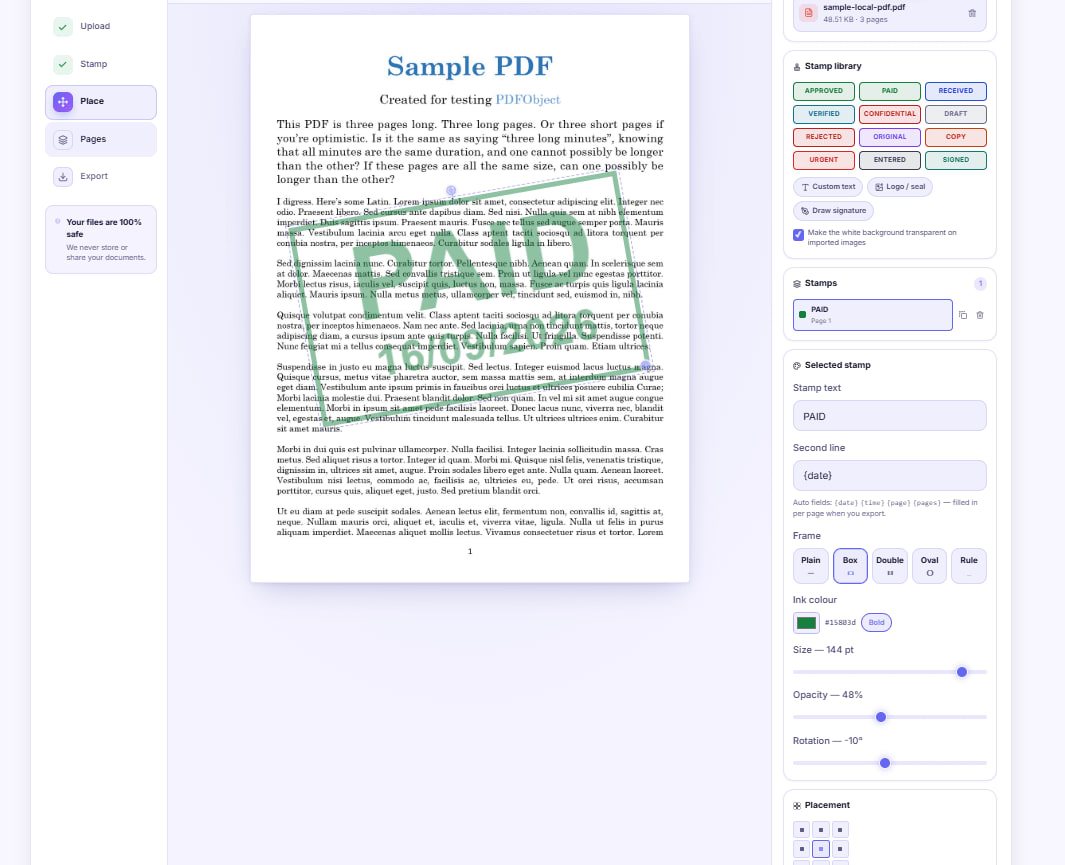
Stamp PAID on an Invoice Without Printing It First
Drop a dated PAID stamp onto an invoice PDF, or photograph your own rubber stamp and place the ink itself. A walkthrough for anyone without a printer and scanner.


Mark Up a Draft Agreement Before You Sign Anything
Highlight the clauses you disagree with, attach short notes where they belong, and send back one marked copy instead of an email nobody can follow.


Number Every Page of a PDF Bundle Before You File It
Merge, then stamp Page {page} of {pages} across the whole bundle in one pass, add an initial on every sheet, and handle double-sided printing properly.