How to Annotate PDF Online Free – Add Notes, Highlights, and Comments Easily


PDF files are commonly used for contracts, reports, study material, research papers, manuals, project documents, proposals, design proofs, application forms, and business communication.
Sometimes, simply reading a PDF is not enough. You may need to highlight an important paragraph, place a reminder beside a section, draw attention to an error, or leave a comment for another person reviewing the document.
Printing the PDF, marking it with a pen, and scanning it again can be slow and may reduce document quality. A PDF annotation tool allows you to add digital markups directly to the document instead.
With the DocsSeva PDF Annotator, you can highlight text, add sticky notes, insert comments, draw freehand on PDF pages, and download a marked-up copy directly from your browser.
The tool supports PDF files up to 100 MB. Processing happens inside your browser, so the selected document remains on your device rather than being uploaded to a remote processing server. No account is required, and DocsSeva does not add a watermark to the exported PDF.
This complete guide explains how to annotate a PDF online free, how each annotation type works, how to review contracts and study material, what to do with scanned PDFs, how annotations affect signatures and forms, and how to prepare a professional annotated document for sharing.
Important: Only annotate documents you own or are authorized to review or modify. Adding comments or markings does not automatically make an annotated copy legally equivalent to the original document.
Quick Answer: How Do You Annotate a PDF Online?
To annotate a PDF online:
- Open the DocsSeva PDF Annotator.
- Select or drag and drop the PDF you want to review.
- Wait for the document pages to load in your browser.
- Choose a markup tool such as highlight, sticky note, comment, or freehand drawing.
- Add the required annotations to the relevant pages.
- Review every page and confirm that the annotations appear in the correct position.
- Delete or correct any accidental markings.
- Save or export the annotated PDF.
- Download the marked-up copy to your device.
- Open the downloaded file and verify that every annotation remains visible.
The original PDF on your device remains separate unless you manually replace it with the exported copy.
What Is PDF Annotation?
PDF annotation is the process of adding review marks, notes, highlights, comments, or drawings on top of an existing PDF document.
Annotations allow you to communicate information without manually rewriting the original content.
For example, you can:
- Highlight an important sentence
- Add a sticky note beside a contract clause
- Leave a comment explaining a correction
- Circle an incorrect value
- Draw attention to a chart
- Mark a section for later review
- Add a reminder beside a form field
- Point out missing information
- Record questions while studying
- Add feedback to a design proof
The underlying PDF content usually remains visible while your annotations are added as a separate layer or incorporated into the exported document.
What Types of Annotations Can You Add With DocsSeva?
The current DocsSeva PDF Annotator supports the following markup options.
Text Highlights
Highlighting applies a visible color over selected text while keeping the words readable.
Highlights are useful for:
- Important definitions
- Contract clauses
- Key report findings
- Exam topics
- Research evidence
- Dates and deadlines
- Action items
- Important names
- Financial totals
- Instructions requiring attention
A highlight should make important information easier to find without covering the text.
Sticky Notes
A sticky note adds a small note marker to a specific place on the page.
The note can contain additional information without placing a long block of text over the document.
Sticky notes are useful for:
- Questions
- Reminders
- Explanations
- Suggested changes
- Review comments
- Follow-up actions
- Approval notes
- Clarifications
- Personal study notes
- Context for another reviewer
Comments
Comments allow you to leave written feedback connected to a particular area or point in the PDF.
Comments are useful when you need to explain:
- Why something should change
- What information is missing
- Which section requires approval
- What a reviewer should check
- Why a value may be incorrect
- Which source supports a statement
- What action another person should take
- Whether a section is accepted or rejected
Clear comments can reduce the need for a separate email containing disconnected feedback.
Freehand Drawing
Freehand drawing allows you to mark directly on the page using a mouse, trackpad, stylus, or touchscreen.
You can use it to:
- Circle an item
- Draw attention to a figure
- Mark an error
- Add a simple arrow-like mark
- Underline information manually
- Sketch a correction
- Mark a signature location
- Point to a specific table cell
- Draw around an image
- Add handwritten-style notes
Freehand drawing is especially useful when text cannot be selected, such as on scanned PDF pages.
What PDF Annotation Does Not Automatically Do
Annotation should not be confused with directly editing the source content.
Adding annotations does not automatically:
- Rewrite the original PDF text
- Correct spelling inside the source content
- Replace an incorrect image
- Permanently redact confidential information
- Remove metadata
- Change the page order
- Delete pages
- Rotate pages
- Make scanned text searchable
- Reduce the PDF file size
- Validate a digital signature
- Create a legally binding approval
- Prevent annotations from being removed
- Prevent another person from sharing the document
- Convert the PDF into an editable Word file
Use a different document tool when the actual PDF structure or content must be changed.
Why Annotate PDF Documents?
PDF annotation makes reviewing, studying, explaining, and collaborating more efficient.
Highlight Important Information
Long documents can contain hundreds of paragraphs. Highlights make important information easier to locate during later review.
For example, you can highlight:
- Contract obligations
- Assignment instructions
- Research findings
- Important dates
- Financial figures
- Safety warnings
- Policy requirements
- Technical specifications
- Key conclusions
Add Context Without Changing the Original Text
A note can explain what should happen without altering the document’s underlying wording.
This is useful when the original content must remain visible for comparison.
Provide Clear Feedback
Instead of sending feedback such as “Change the paragraph on page six,” you can place a comment directly beside the relevant paragraph.
This makes the feedback easier to understand and reduces confusion.
Review Documents Collaboratively
A reviewer can add comments and return the annotated PDF to the author.
The author can then see exactly which sections require attention.
Study More Effectively
Students can highlight key concepts, add definitions, mark questions, and create reminders directly in lecture notes or study material.
Avoid Printing and Rescanning
Digital annotation removes the need to:
- Print the PDF
- Mark the pages manually
- Scan them again
- Rebuild the document
- Send a lower-quality scanned copy
Create a Visual Review Record
An annotated PDF can document what a reviewer noticed at a particular stage of a project.
Keep the original and annotated versions when you need to compare changes later.
Common Uses of PDF Annotation
Reviewing Contracts
Contracts may contain legal terms, deadlines, payment conditions, responsibilities, exclusions, and signature requirements.
You can use annotations to:
- Highlight important clauses
- Flag unclear wording
- Add questions for a legal adviser
- Mark missing information
- Identify dates and notice periods
- Comment on payment terms
- Mark sections requiring negotiation
- Point out inconsistent names or amounts
- Add reminders before signing
Annotations do not replace professional legal advice. Do not sign or approve a contract solely because it has been reviewed with highlights.
Reviewing Business Reports
Managers and team members can annotate:
- Performance reports
- Financial summaries
- Sales reports
- Audit findings
- Project updates
- Operational reports
- Market research
- Department reviews
- Management presentations
Comments can be placed beside the exact number, paragraph, table, or conclusion being discussed.
Reviewing Proposals
A proposal may require feedback from several departments.
Annotations can identify:
- Pricing changes
- Scope questions
- Missing deliverables
- Timeline concerns
- Approval requirements
- Technical corrections
- Customer-specific changes
- Unsupported claims
- Formatting issues
Reviewing Design Proofs
Designers, clients, and reviewers can use freehand drawing and comments to mark:
- Incorrect spacing
- Cropped images
- Misaligned elements
- Typographical mistakes
- Branding issues
- Missing content
- Color concerns
- Areas requiring replacement
Place comments as close as possible to the relevant design element.
Reviewing Invoices
You can annotate invoices to flag:
- Incorrect totals
- Missing tax details
- Duplicate charges
- Incorrect dates
- Unrecognized items
- Payment-status questions
- Purchase-order mismatches
- Missing customer information
Do not alter the original invoice content when an audit trail is required. Keep the original and create a separately named review copy.
Reviewing Application Forms
Annotations can help identify:
- Missing fields
- Incorrect information
- Signature locations
- Required supporting documents
- Incomplete answers
- Date-format errors
- Fields requiring clarification
- Sections that do not apply
Remove review annotations before final submission when the receiving organization expects a clean form.
Studying Textbooks and Lecture Notes
Students can annotate PDFs to:
- Highlight definitions
- Mark formulas
- Add examples
- Record questions
- Summarize paragraphs
- Identify exam topics
- Link concepts
- Mark difficult sections
- Add revision reminders
- Track material already studied
Use consistent annotation colors to avoid turning every page into an unreadable collection of marks.
Reviewing Research Papers
Researchers can use PDF annotation to:
- Highlight research questions
- Mark methodology details
- Record limitations
- Identify important findings
- Add citation notes
- Compare evidence
- Mark statistical results
- Record follow-up questions
- Note related literature
- Highlight quotations for later review
Always follow copyright and academic-integrity requirements when sharing annotated research material.
Grading Assignments
Teachers and reviewers can add:
- Correction marks
- Explanations
- Positive feedback
- Questions
- Missing-reference notes
- Formatting guidance
- Improvement suggestions
- Final-review reminders
Avoid exposing another student’s personal information when sharing annotated work.
Reviewing Technical Manuals
Technical teams can annotate manuals to:
- Flag incorrect instructions
- Mark outdated screenshots
- Add safety warnings
- Identify missing steps
- Suggest clearer wording
- Highlight important settings
- Mark diagrams requiring updates
- Record testing results
Reviewing Construction or Engineering Documents
Freehand marks and comments may help identify issues in:
- Drawings
- Floor plans
- Diagrams
- Inspection reports
- Equipment manuals
- Specifications
- Site reports
- Measurement sheets
For official technical approvals, use the organization’s approved review and document-control process.
Personal Document Review
You can annotate personal PDFs such as:
- Insurance policies
- Bills
- Statements
- Travel documents
- Property records
- Warranty documents
- Instruction manuals
- Personal study material
- Family records
Store annotated copies securely when they contain private information.
What to Check Before Annotating a PDF
Preparing the file first can prevent mistakes and lost work.
1. Confirm That You Selected the Correct PDF
Open the document and verify:
- It is the correct version
- The page count is correct
- All pages are present
- Text and images are readable
- Page order is correct
- It is not corrupted
- It does not contain unrelated material
- You are authorized to review it
Use version numbers or dates when several similar files exist.
2. Keep the Original PDF
Save an untouched copy before adding annotations.
Use filenames such as:
Project-Proposal-Original.pdfProject-Proposal-Annotated-Review.pdf
Keeping both versions allows you to:
- Compare the annotations with the source
- Remove all review marks by returning to the original
- Create another review copy
- Preserve a signed or certified original
- Avoid losing the clean document
3. Check the File Size
The DocsSeva PDF Annotator currently accepts PDF files up to 100 MB.
When a document is too large:
- Confirm that every page is required.
- Remove unnecessary pages.
- Extract only the relevant section.
- Split the document into smaller parts.
- Compress the PDF where appropriate.
- Review quality before annotation.
Useful tools include:
4. Check Whether the PDF Is Password Protected
A password-protected PDF may not open for annotation.
When you know the password and have permission to modify the document:
- Open the PDF Unlock tool.
- Enter the correct existing password.
- Download the authorized unlocked copy.
- Open the unlocked PDF in the annotator.
- Add the required annotations.
- Protect the final document again when necessary.
Do not remove protection from a document you do not own or have permission to modify.
5. Check Whether the PDF Is Scanned
A scanned PDF usually contains images of pages rather than selectable text.
You may not be able to select individual words for normal text highlighting.
On scanned pages, you can:
- Use freehand drawing
- Place sticky notes
- Add comments
- Run OCR first
Use the PDF OCR tool when readable scanned text needs to become searchable and selectable.
6. Correct Page Orientation
A sideways or upside-down page is difficult to annotate accurately.
Use the PDF Rotator before annotation when page orientation is incorrect.
7. Remove Blank or Unnecessary Pages
Blank pages and duplicate pages can make reviewing slower.
Use the PDF Page Remover before annotation when most of the document should remain but a few pages are unnecessary.
8. Extract Only the Section You Need
You may not need to annotate an entire document.
Use the PDF Page Extractor when only selected pages should be reviewed.
A smaller focused file can be easier to annotate and share.
9. Check for Digital Signatures
Adding annotations and exporting a new PDF may change the document’s internal structure.
For digitally signed PDFs:
- Keep the original signed file
- Check signature status before annotation
- Confirm whether annotations are permitted
- Verify the signature again afterward
- Do not treat the annotated copy as identical to the signed original
- Send the original when signature validation is required
10. Decide on an Annotation System
Before marking a long document, decide what each annotation type means.
For example:
- Highlight: important information
- Sticky note: question
- Comment: requested change
- Freehand circle: visual error
A consistent system makes the review easier to understand.
How to Annotate a PDF Online Free With DocsSeva
Follow these steps to create a clear marked-up PDF.
Step 1: Open the PDF Annotator
Open the DocsSeva PDF Annotator in a modern browser.
You do not need to:
- Install software
- Create an account
- Sign in
- Provide an email address
- Purchase a subscription
Step 2: Select Your PDF
Drag and drop the PDF into the upload area or browse for it on your device.
The current tool accepts PDF files up to 100 MB.
Wait until the pages finish loading before adding annotations.
Step 3: Review the Document
Scroll through the PDF and identify:
- Sections requiring highlights
- Areas requiring comments
- Pages requiring sticky notes
- Images or figures requiring freehand marks
- Incorrect or missing information
- Important dates
- Approval points
- Questions for another reviewer
Reviewing first can prevent unnecessary annotations.
Step 4: Choose an Annotation Tool
Select the markup tool that best matches your purpose.
Choose:
- Highlight for important selectable text
- Sticky note for an additional reminder or explanation
- Comment for specific review feedback
- Freehand drawing for visual marks and scanned content
Avoid using a freehand drawing when a short, readable comment would communicate the issue more clearly.
Step 5: Add a Text Highlight
To highlight text:
- Choose the highlight tool.
- Select the relevant words or lines.
- Confirm that the highlight covers only the intended text.
- Check that the text remains readable.
- Remove and repeat the highlight when it covers the wrong section.
Highlight only meaningful content rather than complete pages.
Step 6: Add a Sticky Note
To add a sticky note:
- Select the sticky-note tool.
- Place the note marker near the relevant content.
- Enter a short and clear message.
- Review the note text.
- Confirm that the marker does not cover important information.
Examples of useful sticky-note text include:
- “Confirm this date.”
- “Add supporting source.”
- “Check total against invoice.”
- “Discuss before approval.”
- “Replace with current policy.”
- “Signature required here.”
Step 7: Add a Comment
To add a comment:
- Select the comment tool.
- Place it beside the relevant content.
- Describe the issue or requested action.
- Keep the wording specific.
- Avoid personal or unclear feedback.
- Confirm that the comment is connected to the correct section.
Instead of writing:
“Fix this.”
Write:
“Please update this amount to match the approved quotation dated 15 July.”
Step 8: Add a Freehand Drawing
To draw on the PDF:
- Select the freehand drawing tool.
- Zoom into the relevant area.
- Draw slowly for better control.
- Avoid covering text that must remain readable.
- Use the mark only to direct attention.
- Delete and redraw inaccurate marks.
A stylus or touchscreen can provide better control than a mouse for detailed annotations.
Step 9: Move Through Every Page
Check each page before saving.
Confirm that:
- Highlights are correctly positioned
- Notes refer to the right content
- Comments are understandable
- Drawings do not hide important information
- No accidental annotation is present
- No required feedback is missing
Step 10: Remove Incorrect Annotations
When an annotation is placed incorrectly:
- Undo the latest action
- Select and delete the incorrect mark
- Zoom in
- Add the annotation again
- Confirm its final position
Do not leave crossed-out or duplicated annotations when a clean review copy is required.
Step 11: Save or Export the Annotated PDF
After reviewing the complete document, save or export the marked-up copy.
Because the file and annotation state remain in your browser, export the result before:
- Closing the tab
- Refreshing the page
- Navigating away
- Restarting the browser
- Shutting down the device
Step 12: Download the Annotated PDF
Save the exported file to your device.
Use a descriptive filename such as:
Contract-Annotated-Review.pdfResearch-Paper-Highlighted.pdfProject-Proposal-With-Comments.pdfAssignment-Reviewed.pdfDesign-Proof-Annotated.pdfReport-Feedback-Round-1.pdf
Avoid unclear filenames such as:
final-new.pdfdocument-copy-2.pdflatest-review-final-final.pdfuse-this-one.pdf
Step 13: Verify the Downloaded File
Close the annotation page and open the downloaded PDF in another viewer.
Confirm that:
- Every annotation is visible
- Notes and comments remain readable
- Highlights appear in the intended places
- Drawings remain aligned
- All pages are present
- Page order is correct
- Text and images remain clear
- The file opens without errors
- No DocsSeva watermark was added
- The filename correctly identifies the review version
Never send an annotated document without testing the exported copy.
How to Highlight Text in a PDF Effectively
Highlighting is most useful when it identifies genuinely important information.
Highlight complete ideas
Avoid highlighting only one or two words when the complete sentence is necessary to understand the point.
Avoid highlighting entire pages
When everything is highlighted, nothing stands out.
Select only:
- Key statements
- Important evidence
- Required actions
- Definitions
- Deadlines
- Conclusions
- Critical values
Keep the text readable
A highlight should not make dark text difficult to read.
When a page has dark backgrounds, images, or colored text, use a sticky note or comment instead.
Use a consistent purpose
For example, use highlights only for information that requires attention.
Do not use the same type of marking randomly for questions, approvals, errors, and background information.
Check whether the text is selectable
Normal highlighting works best on digitally created PDFs containing selectable text.
When the page is a scanned image:
- Use freehand marking
- Add a sticky note
- Add a comment
- Run OCR before annotation
How to Add Useful Notes to a PDF
A useful note should explain something the reader cannot understand from the mark alone.
Good notes are:
- Specific
- Short
- Actionable
- Professional
- Connected to the correct section
Examples include:
- “Confirm whether this clause applies to international customers.”
- “Replace this screenshot with the current interface.”
- “The total does not match the figures in Table 3.”
- “Add the publication date and source.”
- “This paragraph repeats the previous section.”
- “Approval is required before publication.”
Avoid notes such as:
- “Wrong”
- “Bad”
- “Change”
- “Check”
- “What?”
These comments do not tell the recipient what needs to be reviewed.
How to Add Comments for Team Review
When several people review the same document, comments should clearly identify the issue and next action.
A useful review comment can include:
- The issue
- The reason it matters
- The requested change
- The responsible person
- The expected deadline, when relevant
Example:
“The delivery date here differs from the approved project schedule. Please confirm the correct date with the operations team before final approval.”
Avoid including confidential internal discussion in a copy that may later be sent externally.
How to Draw on a PDF Without Making It Messy
Freehand drawing is helpful for visual issues but can become difficult to understand when overused.
Use it to:
- Circle one item
- Mark a specific visual defect
- Point to one table cell
- Indicate an approximate area
- Add a short handwritten-style mark
For longer explanations, add a sticky note or comment instead.
Zoom in before drawing so the mark stays precise.
How to Annotate a Scanned PDF
A scanned PDF contains images of pages.
You may not be able to select individual text for normal highlighting because the words are part of an image.
You can still annotate a scanned PDF by:
- Drawing around important text
- Adding a sticky note beside a paragraph
- Placing comments on the page
- Circling signatures or fields
- Marking missing information
- Drawing attention to scan defects
When you need normal text selection:
- Open the PDF OCR tool.
- Upload the readable scanned PDF.
- Create a searchable version.
- Verify OCR accuracy.
- Open the searchable output in the PDF Annotator.
- Add highlights and comments.
- Export and verify the final PDF.
OCR accuracy depends on scan clarity, language, resolution, orientation, and page condition.
How to Annotate a Contract Safely
Contracts require careful document handling.
Before annotation:
- Confirm you have permission
- Keep the original contract
- Check for digital signatures
- Verify the version number
- Confirm the parties and dates
- Avoid altering the signed original
During review:
- Highlight key obligations
- Mark deadlines
- Flag unclear language
- Comment on payment terms
- Note missing information
- Mark sections requiring legal review
- Identify inconsistent names or amounts
After annotation:
- Name the file clearly
- State that it is a review copy
- Preserve the original
- Share only with authorized people
- Avoid treating annotations as formal contract amendments
- Obtain professional advice where necessary
How to Annotate Study Material
A structured annotation system can make revision more efficient.
You could use:
- Highlights for key concepts
- Sticky notes for definitions
- Comments for questions
- Freehand circles for diagrams
- Short notes for examples
- Comments for connections with other topics
Do not write complete paragraphs in every note. Keep the annotation focused enough to support revision.
How to Annotate a Research Paper
A useful research-review workflow is:
- Read the abstract without annotating.
- Identify the research question.
- Highlight the stated objective.
- Mark methodology details.
- Highlight major findings.
- Add notes about limitations.
- Comment on unsupported conclusions.
- Mark references to investigate later.
- Add a final note summarizing the paper.
- Save the annotated copy under a clear filename.
Respect copyright restrictions when sharing annotated papers.
How to Annotate a Business Report
For a business report, separate review comments into categories such as:
- Data accuracy
- Financial figures
- Language
- Formatting
- Compliance
- Approval
- Missing information
- Action items
Keep comments factual and professional.
When several review rounds are expected, include the review round in the filename:
Quarterly-Report-Review-01.pdfQuarterly-Report-Review-02.pdfQuarterly-Report-Final-Approved.pdf
How to Annotate a Design Proof
For visual design review:
- Zoom into the relevant element.
- Add a precise freehand mark.
- Place a comment explaining the issue.
- Avoid covering the design with a large drawing.
- Include dimensions or replacement text where relevant.
- Review the document at normal zoom before exporting.
Example comments include:
- “Align this heading with the left edge of the image.”
- “Replace this logo with the approved high-resolution version.”
- “Increase the spacing between these two sections.”
- “This text is too close to the trim area.”
- “Use the updated contact information here.”
How to Annotate a PDF on Android
You can use the DocsSeva PDF Annotator through a compatible Android browser.
The process is:
- Open the PDF Annotator.
- Select the PDF from your phone.
- Wait for its pages to render.
- Choose an annotation tool.
- Add notes, highlights, comments, or drawings.
- Review the document.
- Export the marked-up PDF.
- Download and open the result.
- Confirm that all annotations remain visible.
For better mobile performance:
- Close unused browser tabs
- Use an updated browser
- Keep sufficient free storage
- Keep the screen active
- Process one document at a time
- Use landscape orientation for wider pages
- Zoom in before placing notes
- Use a stylus where available
How to Annotate a PDF on iPhone or iPad
Open the tool in a supported browser and select the PDF through the Files application or another available storage location.
A tablet or stylus can provide more precise freehand drawing than a small phone screen.
After exporting:
- Check the Downloads or Files location
- Confirm the filename
- Open the PDF in another viewer
- Verify every annotation
- Move confidential files to an appropriate folder
- Delete unnecessary temporary copies
How to Annotate a PDF on Windows
On Windows:
- Open DocsSeva in a modern browser.
- Select the PDF through File Explorer.
- Choose the required annotation tool.
- Add the review marks.
- Export the document.
- Open the downloaded copy in a PDF viewer.
- Save it in the correct project folder.
A mouse or trackpad works well for notes and highlights. A stylus-enabled device may provide better freehand control.
How to Annotate a PDF on macOS
On macOS:
- Open the PDF Annotator in a supported browser.
- Select the PDF through Finder.
- Add highlights, notes, comments, or drawings.
- Review the marked-up pages.
- Export and download the result.
- Open it in Preview or another PDF reader.
- Confirm that all annotations remain visible.
Can You Annotate PDFs on Linux or Chromebook?
Yes.
Because the tool works through a modern browser, the general process is similar on Linux and ChromeOS:
- Open the tool.
- Select a PDF.
- Add annotations.
- Review the pages.
- Export the annotated file.
- Download and test it.
Performance can depend on browser compatibility, available memory, PDF complexity, and file size.
Does Annotating a PDF Change the Original File?
The source PDF on your device remains unchanged while you work in the browser.
When you export, the tool creates a separate annotated copy containing your markups.
The original file changes only when you manually overwrite or replace it.
Use different filenames to protect the clean source:
Policy-Original.pdfPolicy-Annotated-Review.pdf
Does Annotation Affect PDF Quality?
Annotation is intended to add visible markup rather than reduce the existing quality of the document.
The output should generally preserve:
- Text
- Images
- Fonts
- Page dimensions
- Page order
- Tables
- Charts
- Graphics
- Page orientation
- Existing layout
The process should not be treated as:
- Image compression
- PDF conversion
- OCR
- Page resizing
- Scan enhancement
- Text replacement
Always inspect the exported copy at normal and higher zoom.
Annotation cannot improve content that was already:
- Blurry
- Pixelated
- Cropped
- Low resolution
- Missing
- Incorrectly scanned
- Difficult to read
Does Annotating Increase the PDF File Size?
Adding highlights, notes, comments, or drawings can add annotation data to the PDF.
The exported file may be:
- Similar in size to the original
- Slightly larger
- Occasionally different in size because of how the output is generated
The change depends on:
- Number of annotations
- Freehand drawing complexity
- PDF structure
- Embedded fonts
- Images
- Existing forms
- Comments
- Internal PDF objects
When the annotated PDF is too large:
- Verify the annotations.
- Keep an uncompressed review copy.
- Use the PDF Compressor.
- Select an appropriate compression level.
- Check annotation visibility.
- Confirm that text and images remain readable.
Does Annotation Change Page Order?
Adding annotations should not intentionally rearrange PDF pages.
Verify:
- Total page count
- First page
- Final page
- Appendices
- Signature pages
- Blank pages
- Page orientation
Use the PDF Merger, PDF Splitter, or PDF Page Extractor when page organization must change.
What Happens to Digital Signatures?
Adding annotations and exporting a new PDF may alter the document after it was digitally signed.
A PDF reader may:
- Report that the document changed after signing
- Mark a signature as invalid
- Remove signature validation
- Display the visible signature without verifying it
- Report certification restrictions
For digitally signed documents:
- Keep the original signed PDF
- Check signature status before annotation
- Confirm whether comments are permitted
- Verify the signature afterward
- Do not treat the annotated copy as identical to the signed original
- Send the original when valid signature verification is required
A visible signature image is different from a cryptographic digital signature.
What Happens to Certified PDFs?
A certified PDF may permit only certain changes.
Annotations may be allowed under some certification settings and prohibited under others.
Before annotating a certified document:
- Review the certification details
- Check permitted changes
- Keep the original
- Contact the issuer when necessary
- Confirm whether an annotated copy is accepted
- Avoid unnecessary changes
What Happens to Interactive Forms?
A PDF may contain:
- Text fields
- Checkboxes
- Radio buttons
- Drop-down menus
- Buttons
- Calculations
- Signature fields
- JavaScript actions
- Submit controls
After annotation and export, form fields may:
- Remain interactive
- Become flattened
- Display differently
- Lose calculations
- Stop working
- Be covered by annotations
Before sharing an annotated form:
- Open the output in a reliable PDF reader.
- Check every entered value.
- Test checkboxes and selections.
- Confirm calculations.
- Review signature fields.
- Confirm that comments do not hide fields.
- Keep the original form.
What Happens to PDF Links and Bookmarks?
Annotations should not intentionally remove links or bookmarks, but complex PDF features can behave differently after export.
Check:
- Table-of-contents links
- Internal page links
- Website links
- Email links
- Bookmark destinations
- Attachment links
- Form submission links
Test important navigation before sharing the document.
What Happens to PDF Attachments?
A PDF may contain embedded files, portfolios, comments, media, or other attachments.
After exporting the annotated PDF:
- Review the attachment panel
- Confirm required files remain
- Remove unnecessary attachments
- Avoid opening untrusted embedded content
- Verify that the recipient expects the attachments
What Happens to PDF Metadata?
Adding annotations does not automatically remove metadata.
Metadata may include:
- Author
- Organization
- Document title
- Subject
- Keywords
- Creation date
- Modification date
- Software name
- Producer information
- Custom properties
The exported annotated copy may also receive a new modification date.
Do not assume that annotation anonymizes or sanitizes a document.
Are Annotations the Same as Redaction?
No.
Annotation
Adds visible marks, notes, highlights, or comments.
The underlying information usually remains in the PDF.
Redaction
Permanently removes sensitive content from the document.
Do not cover confidential text with a freehand mark or highlight and assume that the information has been securely removed.
Use a verified redaction process when names, account numbers, addresses, signatures, or other confidential information must be permanently removed.
Are Annotations the Same as Editing PDF Text?
No.
Annotation places feedback on or beside existing content.
Text editing changes the actual words in the document.
Use annotation when:
- Reviewing
- Suggesting changes
- Asking questions
- Highlighting information
- Adding feedback
Use an appropriate editing or conversion workflow when the source content itself must be rewritten.
PDF Annotation vs PDF to Word Conversion
Use PDF annotation when:
- The original layout should remain visible
- Feedback must be connected to specific areas
- You want to highlight or comment
- The source content should not be rewritten
Use the PDF to Word converter when:
- The text must be edited directly
- Paragraphs must be rewritten
- Formatting must be updated
- Content must be reused
- An editable DOCX file is required
PDF Annotation vs PDF Watermark
A PDF annotation is generally used for review, study, or feedback.
A watermark is generally used to communicate:
- Ownership
- Confidentiality
- Document status
- Intended recipient
- Branding
Use the PDF Watermark tool when a repeated text or image mark should appear across the document.
PDF Annotation vs Digital Signature
Annotations communicate feedback or observations.
A digital signature helps verify:
- Who signed the document
- Whether it changed after signing
- Document authenticity
A comment reading “Approved” is not automatically equivalent to a cryptographic digital signature.
PDF Annotation vs Highlighting Scanned Text
Digitally created PDF text can usually be selected for highlighting.
Scanned text is part of an image and may not be directly selectable.
Use:
- Freehand drawing or notes for immediate visual marking
- The PDF OCR tool when normal text selection is needed
PDF Annotation vs Adding a Text Box to the Original Content
A sticky note or comment records additional information without rewriting the underlying document.
Directly adding new visible text into the page content is a different editing operation.
Use comments when feedback should remain clearly separate from the original wording.
Is It Safe to Annotate a Confidential PDF Online?
DocsSeva processes the PDF Annotator operation inside your browser, so the selected document remains on your device instead of being uploaded to a remote processing server.
You should still follow careful security practices:
- Use your own trusted device
- Avoid public computers
- Keep your browser updated
- Confirm that you are using the official website
- Avoid untrusted browser extensions
- Do not display confidential pages around unauthorized people
- Export the final document before closing the page
- Store the annotated copy securely
- Delete unnecessary temporary copies
- Share only with authorized recipients
- Follow organizational document-handling policies
Local processing reduces server-upload exposure, but the downloaded annotated file must still be handled securely.
Do Annotations Save Automatically?
Do not assume that browser annotations are permanently saved before export.
Because the document and editing state remain in the browser, refreshing or closing the tab may remove unsaved work.
To avoid losing annotations:
- Save or export regularly when possible.
- Do not refresh the page.
- Keep the browser tab open.
- Avoid clearing browser data during editing.
- Export before the device sleeps or restarts.
- Test the downloaded output.
How to Organize Multiple Review Rounds
When a document goes through several review stages, use clear version names.
Example:
Proposal-Original.pdfProposal-Review-01-Arjun.pdfProposal-Review-02-Finance.pdfProposal-Review-03-Client.pdfProposal-Final-Approved.pdf
You may also include dates:
Proposal-Review-2026-07-28.pdf
Avoid filenames such as:
final.pdffinal-new.pdffinal-latest.pdffinal-final-2.pdf
How to Share an Annotated PDF Clearly
Before sending the document:
- Verify the recipient
- Confirm that annotations are intended for that recipient
- Remove internal-only comments
- Check whether the original should also be included
- Use a descriptive filename
- Explain the purpose of the review
- State whether action is required
- Mention any deadline
- Confirm whether another review round is expected
A useful accompanying message might state:
“Please review the attached annotated copy. Comments identify the sections requiring updates before approval. The original unmarked PDF is included separately for reference.”
Best Practices for Professional PDF Annotation
Keep comments specific
Write what is wrong and what should happen next.
Use annotations consistently
Assign a clear purpose to highlights, notes, comments, and drawings.
Avoid covering the source content
Place notes and drawings where the underlying information remains readable.
Keep the document readable
Do not fill every available space with markups.
Use professional language
Write feedback that is factual, respectful, and actionable.
Preserve the original
Never rely on the annotated copy as your only version.
Review before exporting
Check every page and remove accidental marks.
Test the downloaded PDF
Open the export in another PDF reader before sharing it.
Protect confidential annotations
Comments may contain internal information that should not be sent externally.
Use version-controlled filenames
Clearly identify the document, reviewer, date, or review round.
Confirm recipient compatibility
Make sure the recipient’s PDF reader displays the annotations correctly.
Export before closing
Browser-based annotation work may be lost when the tab is refreshed or closed.
Common PDF Annotation Problems and Solutions
The PDF does not load
Confirm that:
- It is a valid PDF
- The file is no larger than 100 MB
- The download completed
- The file is not corrupted
- The extension is
.pdf - The browser is updated
- Your device has enough memory
Try opening the source document in another PDF reader.
The PDF is password protected
Use the PDF Unlock tool with the correct password and only when you have authorization.
Then open the unlocked copy in the annotator.
Text cannot be selected for highlighting
The page may be scanned or converted into an image.
Use:
- Freehand drawing
- Sticky notes
- Comments
- OCR before annotation
The highlight covers the wrong text
Delete or undo the highlight, zoom in, and select the correct text again.
The highlight is difficult to read
Use a lighter mark where available or replace the highlight with a note or comment.
A sticky note is in the wrong position
Delete or move the note where supported.
Zoom into the page before placing it again.
A drawing looks inaccurate
Undo or delete it and redraw at a higher zoom level.
A touchscreen or stylus may provide better control.
Annotations disappear after refreshing
The editing state was stored in the browser and was not exported.
Repeat the required annotations and save the PDF before refreshing or closing the page.
The browser becomes slow
Large or image-heavy PDFs can use significant memory.
Try:
- Closing unused tabs
- Closing heavy applications
- Waiting for pages to render
- Using a desktop device
- Updating the browser
- Splitting the PDF into smaller sections
- Compressing the source where appropriate
- Working on one document at a time
The exported PDF is too large
Freehand drawings and annotation data can increase file size.
Verify the output, then use the PDF Compressor.
Check annotation readability after compression.
Annotations move after export
Open the file in another PDF reader and check whether the issue is limited to one application.
When placement is critical:
- Zoom in before adding annotations
- Avoid placing marks at the extreme page edge
- Export and test a sample page
- Use comments instead of complex freehand marks
The downloaded PDF has no annotations
Confirm that:
- You used the export or save function
- Processing completed
- You opened the downloaded copy
- You did not reopen the original
- Your browser allowed the download
Check the filename and download time.
A comment cannot be read in another PDF viewer
Some PDF viewers display annotation interfaces differently.
Ask the recipient to:
- Use an updated PDF reader
- Open the comments or annotations panel
- Download the file completely
- Try another compatible viewer
For essential feedback, include a short summary in the accompanying message.
Digital signatures show a warning
Annotation may have changed the document after signing.
Keep and use the original signed PDF when signature validation is required.
Form fields no longer work
Open the exported file in a full PDF reader.
Check all fields, calculations, buttons, and signatures.
Return to the original when interactive form behavior is essential.
Links or bookmarks do not work
Test the output in another PDF application.
Keep the original when exact navigation is required.
The download does not start
Check that:
- Export completed
- Browser downloads are allowed
- Your device has enough storage
- A browser extension is not blocking downloads
- You did not navigate away
- The browser is updated
Recommended Workflow for Reviewing and Annotating a PDF
Use the following workflow for a clean and professional result.
Step 1: Keep the original PDF
Store the untouched document under a clear filename.
Step 2: Unlock it when authorized
Use the PDF Unlock tool when the document requires a known password.
Step 3: Remove unnecessary pages
Use the PDF Page Remover for blank, duplicate, outdated, or unrelated pages.
Step 4: Extract the required section
Use the PDF Page Extractor when only selected pages require review.
Step 5: Correct page orientation
Use the PDF Rotator for sideways or upside-down pages.
Step 6: Run OCR on readable scans
Use the PDF OCR tool when scanned text needs to become searchable and selectable.
Step 7: Open the PDF Annotator
Load the prepared PDF in the PDF Annotator.
Step 8: Add focused annotations
Use highlights, sticky notes, comments, and freehand drawings according to a consistent review system.
Step 9: Review all pages
Remove inaccurate, duplicated, or unclear annotations.
Step 10: Export the marked-up PDF
Save the annotated copy before refreshing or closing the browser.
Step 11: Verify the downloaded document
Check annotation visibility, page count, links, forms, signatures, and filename.
Step 12: Compress when necessary
Use the PDF Compressor when the annotated file exceeds an upload or email limit.
Step 13: Add password protection when required
Use the Password Protect PDF tool when the annotated copy contains confidential information.
Step 14: Share with the correct recipient
Confirm that internal-only comments have been removed and the recipient understands the required action.
PDF Annotation Tool Comparison
| Tool or operation | What it does | Best use |
|---|---|---|
| PDF Annotator | Adds highlights, notes, comments, and freehand drawings | Review, study, and provide feedback |
| PDF OCR | Adds searchable text to readable scans | Highlight or search scanned text |
| PDF Rotator | Corrects page orientation | Fix sideways or upside-down pages |
| Page Remover | Deletes complete pages | Remove blank, duplicate, or unnecessary pages |
| Page Extractor | Creates a PDF from selected pages | Review only a specific section |
| PDF Splitter | Divides a PDF into multiple files | Separate chapters or review sections |
| PDF Merger | Combines several PDFs | Create one complete review document |
| PDF Compressor | Reduces file size | Meet email or upload limits |
| PDF Password | Adds opening-password protection | Secure a confidential annotated PDF |
| PDF Unlock | Removes a known password | Prepare an authorized protected file for annotation |
| PDF Watermark | Adds repeated text or image marks | Show status, ownership, or confidentiality |
| PDF to Word | Converts the PDF to DOCX | Edit the actual document text |
Frequently Asked Questions
How can I annotate a PDF online for free?
Open the DocsSeva PDF Annotator, select your PDF, add highlights, sticky notes, comments, or freehand drawings, review the pages, and export the annotated document.
What annotation tools does DocsSeva currently support?
The current tool supports text highlighting, sticky notes, comments, and freehand drawing.
Can I highlight text in a PDF?
Yes, when the PDF contains selectable digital text.
Can I highlight text in a scanned PDF?
Scanned pages are normally images, so their words may not be directly selectable. Use freehand marking or apply OCR first.
Can I add sticky notes to a PDF?
Yes. Sticky notes can be placed beside relevant content to record questions, reminders, explanations, or requested changes.
Can I add comments to a PDF?
Yes. Comments allow you to connect written feedback to a specific part of the document.
Can I draw on PDF pages?
Yes. Use the freehand drawing tool to circle, mark, underline manually, or draw attention to visual areas.
Can I use it for contract review?
Yes, provided you are authorized to review the contract. Keep the original and consider whether digital signatures may be affected.
Can I use it for studying?
Yes. You can highlight key material, add definitions, record questions, and mark diagrams.
Can I annotate a research paper?
Yes. You can highlight findings, record limitations, mark references, and add review comments.
Can I annotate a scanned PDF?
Yes. Use freehand drawing, notes, and comments. Run OCR first when selectable text is required.
Will annotation change the original PDF?
The source PDF remains separate. Exporting creates an annotated copy unless you manually overwrite the original.
Will annotation reduce PDF quality?
Annotation is intended to add markup rather than reduce existing text or image quality. Always verify the exported output.
Will annotation increase file size?
It can add some data, particularly when many comments or freehand drawings are included.
Can I annotate a PDF on Android?
Yes. Use the tool through a compatible Android browser.
Can I annotate a PDF on iPhone or iPad?
Yes. Select the PDF through the Files application or another supported storage location.
Can I annotate a PDF on Windows or Mac?
Yes. The browser-based tool works on modern desktop browsers.
Can I use it on Linux or Chromebook?
Yes, through a compatible modern browser.
Do I need to install software?
No. The tool works directly in your browser.
Do I need to create an account?
No account, login, or email registration is required.
What is the current maximum file size?
The current PDF Annotator accepts PDF files up to 100 MB.
Does the PDF get uploaded to a server?
The annotation process runs inside your browser, so the selected PDF remains on your device.
Will DocsSeva add a watermark?
No DocsSeva watermark is added to the exported annotated PDF.
Are annotations saved automatically?
Do not assume unsaved browser work is permanent. Export the annotated PDF before refreshing or closing the page.
Can I delete an annotation?
Incorrect annotations can be removed or undone before export using the available editor controls.
Can I edit a note after adding it?
Editable behavior depends on the current interface. Review note text before exporting and correct it where the tool allows.
Can another person remove my annotations?
Depending on how annotations are stored and the PDF software used, another authorized editor may be able to modify or remove them. Annotation is not a tamper-proof security feature.
Can annotations securely hide confidential text?
No. A drawing or highlight is not secure redaction. Use a verified redaction process when information must be permanently removed.
Is a comment marked “Approved” a digital signature?
No. A comment does not provide the same cryptographic identity and integrity verification as a digital signature.
Can I annotate a digitally signed PDF?
You may be able to add annotations, but changing the document can affect signature validation. Keep the original signed copy.
Can I annotate a password-protected PDF?
You may need to unlock it first using the correct password and with authorization.
Can I compress the PDF after annotating it?
Yes. Verify the annotations first and then use the PDF Compressor. Recheck readability after compression.
Can I password protect the annotated PDF?
Yes. Use the Password Protect PDF tool when the marked-up document contains confidential information.
Can I merge several annotated PDFs?
Yes. Verify each document and then combine them with the PDF Merger.
Can I convert the annotated PDF to Word?
You can try converting it, but annotations may not transfer in the same form. Keep the annotated PDF as the reference copy.
Can I print an annotated PDF?
Yes, when the exported copy displays the annotations correctly and printing is allowed.
Why did my annotations disappear?
The browser page may have been refreshed or closed before the annotated document was exported.
Why can I not highlight text?
The document may be scanned, the text may be converted to outlines, or the PDF may have restrictions.
Is PDF annotation safe?
Browser-based processing keeps the selected document on your device, but you must still secure the exported file and share it only with authorized recipients.
Final Checklist Before Sharing an Annotated PDF
Before emailing, uploading, printing, or archiving the document, confirm that:
- The correct source PDF was used
- You are authorized to annotate it
- The untouched original has been retained
- The correct document version was reviewed
- Every required page is included
- Page order is correct
- Page orientation is correct
- Highlights cover the intended text
- Highlighted text remains readable
- Sticky notes are placed beside the correct content
- Comments are clear and actionable
- Freehand drawings do not hide important information
- Accidental annotations were removed
- Internal-only comments were removed where necessary
- Scanned pages were handled appropriately
- Digital-signature requirements were considered
- Certification restrictions were considered
- Form fields remain complete
- Links and bookmarks work where required
- Attachments were reviewed
- Metadata and confidential content were considered
- The annotated PDF was exported before closing the browser
- The downloaded file opens without errors
- Every annotation remains visible after reopening
- No DocsSeva watermark was added
- The filename clearly identifies the review copy
- The file meets the required size limit
- The recipient is authorized to view the feedback
- Password protection was added when appropriate
- Unnecessary temporary copies will be deleted
Annotate PDF Documents Easily With DocsSeva
PDF annotation makes document review clearer, faster, and more organized.
Instead of printing a document, marking it by hand, and scanning it again, use the DocsSeva PDF Annotator to highlight important text, add sticky notes, leave comments, and draw directly on PDF pages.
The annotation process runs inside your browser, requires no account, and does not add a DocsSeva watermark to the exported document.
Before annotating, you can also remove unwanted pages, extract only the required pages, split a large PDF, correct page orientation, run OCR on scanned pages, or unlock an authorized protected document.
After annotation, you can compress the marked-up PDF, combine it with other documents, add a confidentiality watermark, or protect it with a password.
Always keep the original PDF, review every annotation, export before closing the browser, and verify the downloaded copy before sharing it.
DocsSeva Team
Published on July 2, 2026 · Updated on July 28, 2026
Browse all tools
38 free document tools, no account required.
Browse all toolsRelated articles

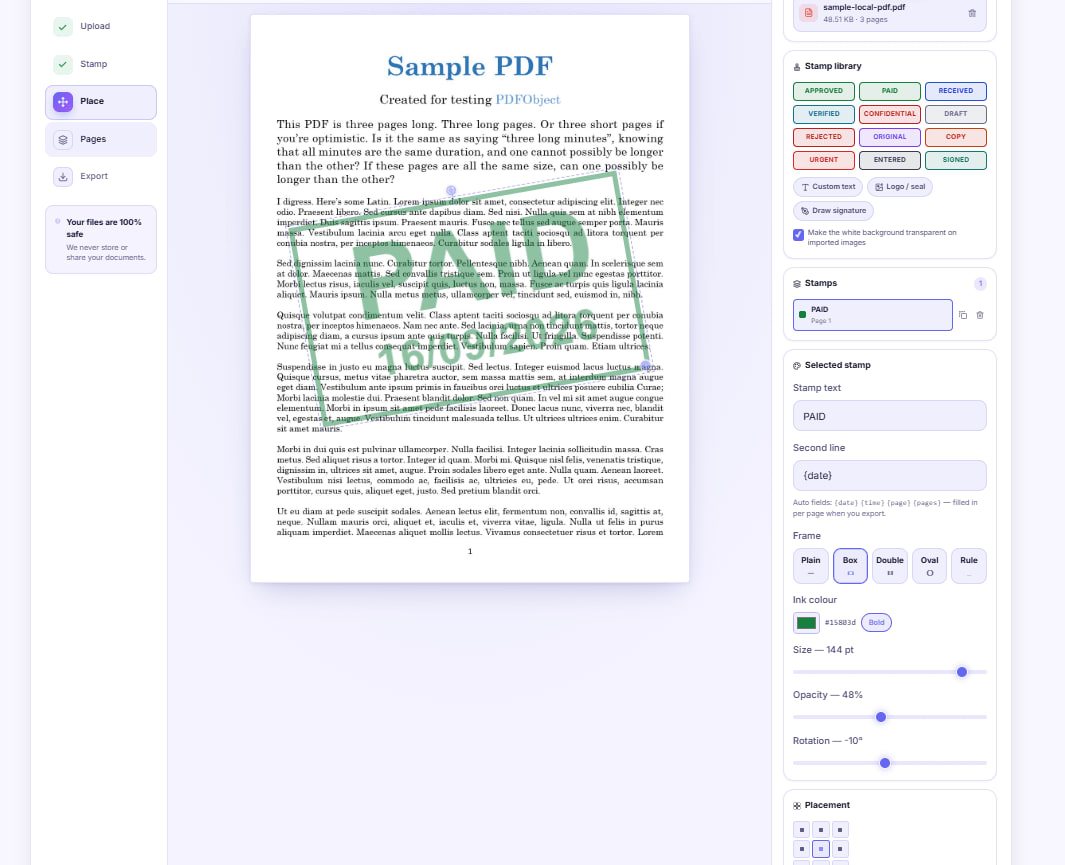
Stamp PAID on an Invoice Without Printing It First
Drop a dated PAID stamp onto an invoice PDF, or photograph your own rubber stamp and place the ink itself. A walkthrough for anyone without a printer and scanner.


Mark Up a Draft Agreement Before You Sign Anything
Highlight the clauses you disagree with, attach short notes where they belong, and send back one marked copy instead of an email nobody can follow.


Number Every Page of a PDF Bundle Before You File It
Merge, then stamp Page {page} of {pages} across the whole bundle in one pass, add an initial on every sheet, and handle double-sided printing properly.