

Why the Protect PDF button won't accept your password
Bill@1234 is nine characters with four character types and it still fails. The exact rules behind the password strength gate, with worked examples of what passes.
DocsSeva Team6 min
Guides for working with PDFs — compressing files under upload limits, merging and splitting documents, fixing page order, and getting clean output every time.
34 articles
Bill@1234 is nine characters with four character types and it still fails. The exact rules behind the password strength gate, with worked examples of what passes.

Password protection sets a permissions list nobody shows you. What it blocks, what it deliberately allows, and why the open password is the only part that is real security.

Fourteen encrypted statements for a loan file. How to remove the password from your own copies, merge them into one document, and why unlocking has to come first.
Seven causes of a rejected PDF password, in the order they actually happen - phone auto-capitals, smart quotes from chat apps, and the case where no password exists at all.

Opacity, size, angle and position are the four numbers that decide whether a PDF watermark labels your document or ruins it. Settings for screen and for print.

How to write a dated purpose line across a PAN or Aadhaar copy before you share it, which settings survive a photocopy, and what a watermark cannot protect you from.

Watermark removal uses two passes: one deletes the text at the source, the other rebuilds the page as an image. Here is how to tell which one ran on your file.

Dark stamps, saturated logos, marks over black text and watermarks baked into scans. The four cases no PDF watermark remover can clean, and what to do instead.
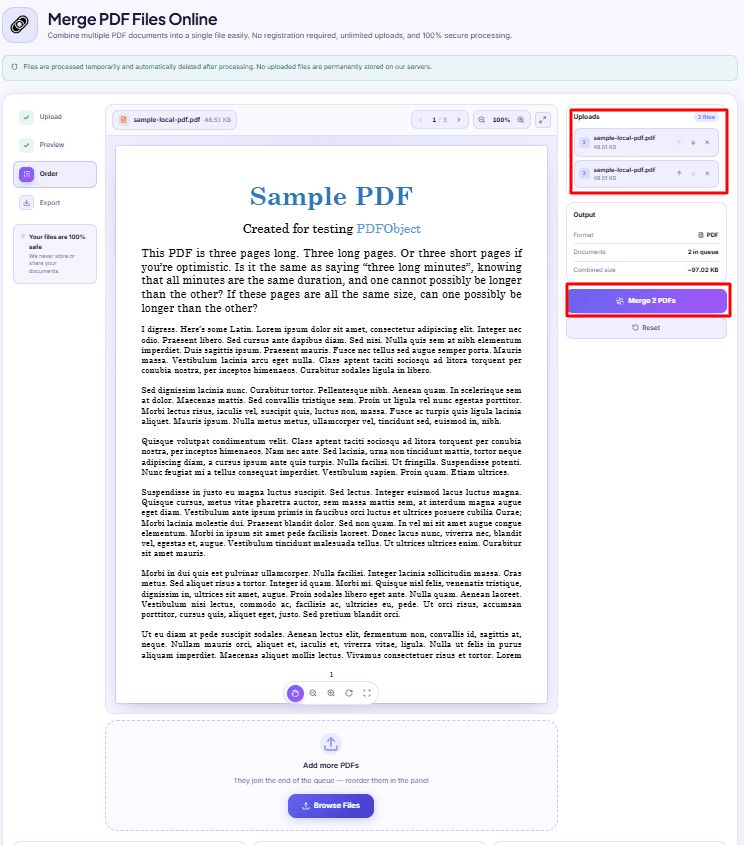
Merged PDFs almost always come out jumbled for one reason: the queue order. Here is why filenames betray you and how to fix the sequence before you merge.
Showing 9 of 34 posts.
Showing 9 of 34 posts


